Mobile Battery Health Guide: How to Extend Battery Life
Quick Overview Mobile battery health directly affects smartphone performance, charging efficiency, and overall user experience. A healthy battery allows users to enjoy longer screen time, stable performance, and fewer charging interruptions throughout the day. However, many smartphone users experience battery drain issues, overheating, and reduced battery backup after several months of usage. Fortunately, proper charging…
Quick Overview
Mobile battery health directly affects smartphone performance, charging efficiency, and overall user experience. A healthy battery allows users to enjoy longer screen time, stable performance, and fewer charging interruptions throughout the day.
However, many smartphone users experience battery drain issues, overheating, and reduced battery backup after several months of usage. Fortunately, proper charging habits, battery optimization settings, and smart device management can significantly improve battery health and extend battery lifespan.
This guide explains everything you need to know about mobile battery health, common battery problems, practical solutions, and expert recommendations for maintaining long-term battery performance.
Table Briefing Mobile Battery Health
| Section | Details |
|---|---|
| Introduction | Understanding battery health |
| Battery Basics | How Mobile Battery Health Affects Smartphone Performance |
| Battery Problems | Causes of battery degradation |
| Optimization Tips | Ways to improve battery performance |
| Charging Habits | Mobile Battery Health and Charging Habits |
| Battery Features | Android and iPhone tools |
| FAQs | Common battery questions |
| Conclusion | Final recommendations |
Introduction
Smartphones have become an essential part of modern life. People use mobile devices for communication, education, business, entertainment, navigation, banking, and social media. As technology continues to advance, smartphones become more powerful every year. However, despite improvements in processing power, camera quality, and display technology, battery life remains one of the biggest concerns for users.
Many smartphone owners notice that their devices perform well when they are new. Nevertheless, after several months or years of use, battery performance often begins to decline. Consequently, users may experience rapid battery drain, overheating, slower charging speeds, and shorter screen-on time.
Battery health is not just about how long a phone lasts between charges. Instead, it represents the overall condition and efficiency of the battery itself. Therefore, understanding battery health is extremely important for anyone who wants to maximize smartphone performance and avoid unnecessary battery replacements.
Fortunately, there are many effective ways to maintain battery health and extend battery lifespan. Moreover, most of these methods are simple and require only small adjustments to daily smartphone habits.
This complete guide explores battery technology, common battery problems, battery optimization techniques, charging best practices, and expert recommendations that can help users keep their smartphones running efficiently for years.
If you enjoy discovering useful smartphone features, you may also like our guide on Top WhatsApp Hidden Features Most Users Never Use, where we explain hidden settings and practical tips that can improve your mobile experience.
Understanding Mobile Battery Health
Mobile battery health refers to the condition of a smartphone battery compared to its original factory capacity. Every rechargeable battery gradually loses its ability to store energy over time. As a result, battery capacity slowly decreases after hundreds of charging cycles.
For example, when a smartphone battery is brand new, it can hold 100 percent of its designed capacity. However, after prolonged usage, battery capacity may decrease to 90 percent, 85 percent, or even lower. Consequently, users may notice shorter battery life and more frequent charging requirements.
Battery degradation is completely normal. Nevertheless, poor charging habits and excessive heat can accelerate this process significantly.
Generally, battery health can be categorized as follows:
- 100% to 90% = Excellent condition
- 89% to 80% = Good condition
- 79% to 70% = Noticeable wear
- Below 70% = Significant degradation
Therefore, maintaining battery health becomes important not only for battery life but also for overall smartphone performance.
How Mobile Battery Health Affects Smartphone Performance
Most modern smartphones use lithium-ion batteries. These batteries have become the industry standard because they offer excellent efficiency, fast charging capabilities, and high energy density.
Lithium-ion batteries store energy through chemical reactions involving lithium ions moving between positive and negative electrodes. During charging, lithium ions move in one direction. During discharge, they move in the opposite direction.
This technology provides several advantages:
High Energy Density
Lithium-ion batteries can store large amounts of energy in compact spaces. Therefore, smartphone manufacturers can design slim devices without sacrificing battery capacity.
Fast Charging Support
Modern lithium-ion batteries support fast charging technologies. Consequently, users can charge devices much faster than older battery technologies.
Longer Lifespan
Compared to previous battery types, lithium-ion batteries generally last longer and provide better performance over time.
Low Maintenance of Mobile Battery Health
Unlike older battery technologies, lithium-ion batteries do not require complete discharge cycles before recharging.
Although lithium-ion batteries are highly efficient, they remain sensitive to heat, overcharging, and excessive charging cycles. Therefore, proper battery care remains essential.
Why Mobile Battery Health Matters
Many users focus only on battery percentage. However, battery health is equally important.
A battery with poor health can create several problems.
Reduced Mobile Battery Health Backup
As battery capacity declines, smartphones hold less energy. Consequently, users need to charge devices more frequently.
Performance Throttling
Some smartphones automatically reduce processor performance when battery health declines significantly. This helps prevent unexpected shutdowns but may result in slower device performance.
Battery performance and device speed often go hand in hand. Therefore, you may also find our guide on Complete Guide to Speed Up Slow PC Without Software helpful for improving overall system performance.
Increased Heat Generation
Older batteries often generate more heat during charging and usage. Excessive heat can further accelerate battery degradation.
Unexpected Shutdowns
In severe cases, degraded batteries may cause random shutdowns even when battery percentage appears sufficient.
Therefore, maintaining battery health improves both battery life and overall device reliability.
Common Mobile Battery Health Problems
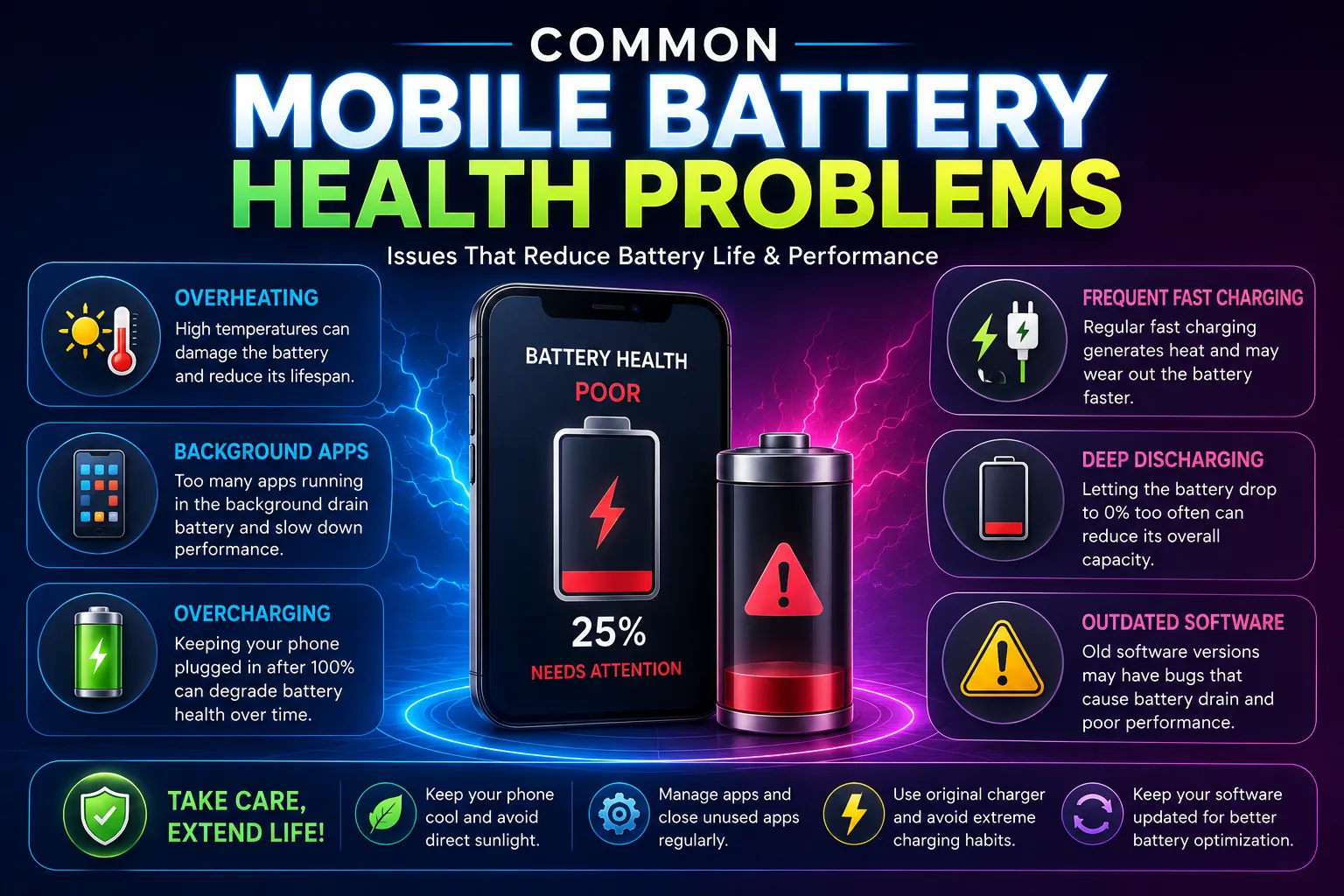
Battery drain occurs for many reasons. Understanding these causes allows users to optimize device performance effectively.
Mobile Battery Health and Screen Brightness
The display is often the largest consumer of battery power. Higher brightness levels require more energy and can significantly reduce battery life.
Therefore, reducing brightness or enabling adaptive brightness can improve battery performance immediately.
Mobile Battery Health and Background Apps
Many applications continue running even when users are not actively using them. Consequently, they consume battery power through background synchronization, notifications, and data processing.
Social media apps, messaging platforms, and cloud storage services are common examples.
GPS and Location Services
Location services constantly communicate with satellites and network towers. Therefore, GPS usage can increase battery consumption significantly.
Users should disable location access for applications that do not require it.
Common Causes of Battery Drain (Continued)
Mobile Battery Health and Mobile Data Usage
Mobile data continuously exchanges information between applications and network servers. As a result, battery consumption increases, especially in areas with weak network signals.
Furthermore, phones consume additional power while searching for stronger signals. Therefore, users often notice faster battery drain in locations with poor network coverage.
Mobile Battery Health During Gaming
Modern games require significant processing power. Consequently, both the CPU and GPU work harder, which increases power consumption and heat generation.
Similarly, video editing apps, camera applications, and live streaming services consume large amounts of battery power.
Excessive Notifications
Every notification activates parts of the system, including the screen, processor, vibration motor, and network services. Therefore, excessive notifications can contribute to battery drain throughout the day.
Signs Your Battery Health Is Declining
Recognizing battery problems early can help users take action before performance becomes unacceptable.
Rapid Battery Drain for Mobile Battery Health
If a phone loses charge significantly faster than before, battery health may be declining.
For example, a phone that previously lasted an entire day may suddenly require multiple charges.
Slow Charging and Mobile Battery Health
A damaged battery often charges more slowly than normal. Furthermore, charging speed may become inconsistent.
Overheating Problems in Mobile Battery Health
Excessive heat during charging or normal usage can indicate battery wear.
Although slight warmth is normal, unusually high temperatures should not be ignored.
Random Shutdowns
Some phones unexpectedly turn off despite showing remaining battery percentage. Consequently, users may lose unsaved work or experience interruptions.
Battery Swelling damages Mobile Battery Health
Battery swelling is a serious issue. If the phone screen begins lifting or the device appears expanded, users should stop using the device immediately and seek professional assistance.
Best Ways to Improve Mobile Battery Health
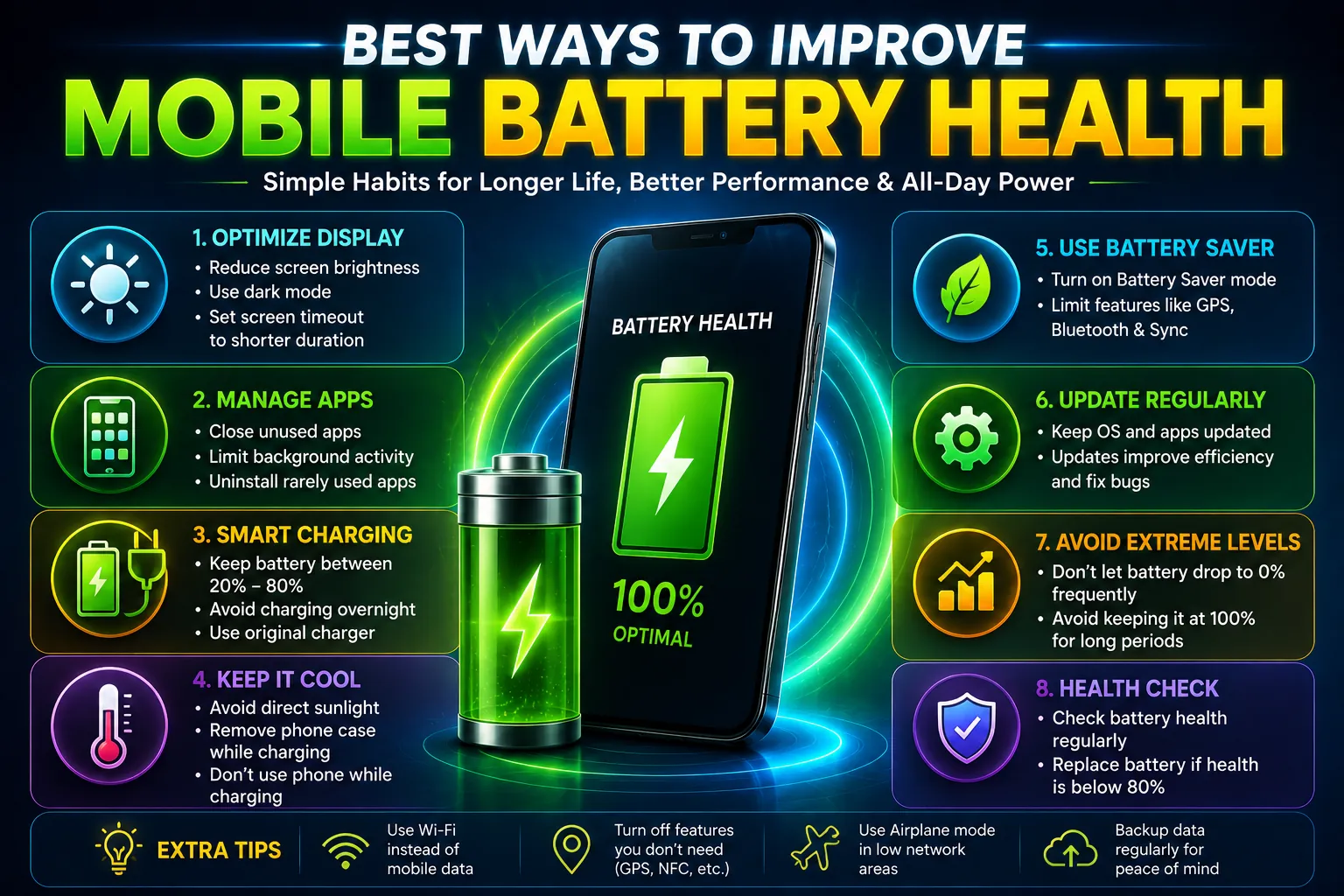
Fortunately, several simple techniques can significantly improve battery performance.
Reduce Screen Brightness
Screen brightness directly affects battery consumption.
Therefore, users should:
- Enable adaptive brightness
- Reduce manual brightness levels
- Avoid maximum brightness unless necessary
As a result, battery life often improves noticeably.
Enable Battery Saver Mode
Most smartphones include battery-saving features.
Battery Saver reduces:
- Background activities
- Automatic synchronization
- Processor usage
- Visual effects
Consequently, battery life can be extended considerably.
Update Software Regularly
Software updates frequently include battery optimizations.
Moreover, developers fix bugs that may cause excessive battery consumption.
Therefore, keeping the operating system updated remains important.
Use Dark Mode
Dark mode offers both visual comfort and battery-saving benefits.
Particularly on OLED displays, dark pixels consume less power than bright pixels.
As a result, dark mode may extend battery life throughout the day.
Manage Background Applications
Users should regularly review applications running in the background.
Furthermore, unnecessary permissions should be removed whenever possible.
This helps reduce battery consumption significantly.
Remove Unused Applications
Many users install applications they rarely use.
However, these apps may continue running background services.
Therefore, uninstalling unused apps improves both battery performance and system efficiency.
Disable Unnecessary Connectivity Features
When not needed, users should disable:
- Bluetooth
- GPS
- NFC
- Mobile Hotspot
- Nearby Device Scanning
Consequently, power consumption decreases.
Mobile Battery Health and Charging Habits
Charging habits play a major role in battery longevity.
Follow the 20–80 Rule
Many experts recommend maintaining battery levels between 20% and 80%.
Although charging to 100% occasionally is perfectly fine, keeping the battery constantly at extreme levels may increase long-term wear.
Avoid Complete Discharges
Lithium-ion batteries perform best when they are recharged before reaching 0%.
Therefore, users should avoid regularly draining batteries completely.
Use Original Chargers
Original chargers provide stable voltage and current.
In contrast, low-quality chargers may generate excessive heat and reduce charging efficiency.
Keep Devices Cool During Charging
Heat accelerates battery degradation.
Therefore:
- Remove thick cases during charging if necessary
- Avoid placing phones under pillows
- Keep devices in ventilated areas
Avoid Charging in Direct Sunlight
Charging while exposed to sunlight can dramatically increase temperatures.
Consequently, battery health may decline faster over time.
Android Battery Optimization Features
Android devices include several useful battery management tools.
Adaptive Battery
Adaptive Battery learns usage patterns and limits power consumption for rarely used applications.
As a result, battery life improves automatically.
Battery Saver
Battery Saver reduces background processes and helps extend usage time.
App Battery Statistics
Android allows users to identify applications consuming excessive battery power.
Therefore, problematic apps can be managed easily.
How iPhone Users Can Improve Mobile Battery Health
Apple also provides useful battery management tools.
Battery Health Monitoring
Users can view battery capacity percentages directly within iPhone settings.
This helps monitor long-term battery condition.
Optimized Battery Charging
This feature delays charging beyond 80% until needed.
Consequently, battery aging slows down.
Low Power Mode
Low Power Mode reduces system activity and extends battery life whenever needed.
Besides improving battery life, users should also learn about hidden device functions. Our article on Nokia Secret Codes Explained: Hidden Features & Useful Functions covers useful diagnostic tools and hidden smartphone settings.
Mobile Battery Health Myths and Facts
Many battery-related myths continue circulating online. Unfortunately, some of these misconceptions can lead users to adopt habits that provide little benefit.
Myth 1: You Must Fully Drain the Battery Before Charging
This advice was useful for older battery technologies. However, modern lithium-ion batteries do not require complete discharge cycles.
In fact, regularly draining the battery to 0% may increase battery wear over time.
Myth 2: Charging Overnight Always Damages the Battery
Modern smartphones include intelligent charging systems that stop charging when the battery reaches full capacity.
Nevertheless, keeping a phone connected to a charger continuously in hot environments may generate additional heat. Therefore, occasional overnight charging is generally safe, but excessive heat should be avoided.
Myth 3: Fast Charging Always Damages Batteries
Fast charging itself is not harmful when using certified chargers and supported devices.
Manufacturers design modern smartphones with temperature controls and charging management systems. Consequently, occasional fast charging does not significantly damage battery health.
Myth 4: Closing All Apps Improves Battery Life
Many modern operating systems manage applications efficiently in the background.
Therefore, repeatedly closing and reopening apps may sometimes consume more power than leaving them managed by the operating system.
Myth 5: Airplane Mode Is Useless
Airplane mode can significantly reduce battery consumption, especially in areas with weak network signals.
As a result, travelers often use airplane mode to preserve battery life.
Mobile Battery Health Tips for Students
Students rely heavily on smartphones for learning, communication, and productivity.
Therefore, they should:
- Lower screen brightness during study sessions.
- Use Wi-Fi instead of mobile data whenever possible.
- Enable battery saver during long classes.
- Limit unnecessary social media notifications.
- Keep educational apps updated.
Consequently, students can extend battery life throughout the day without carrying chargers constantly.
Mobile Battery Health Tips for Gamers
Gaming places heavy demands on smartphone hardware.
Therefore, gamers should:
- Lower graphics settings when possible.
- Avoid charging while gaming.
- Take regular breaks during long gaming sessions.
- Remove thick protective cases if overheating occurs.
- Keep the phone updated.
As a result, battery temperatures remain lower and long-term battery health improves.
Mobile Battery Health Tips for Business Users
Business professionals often depend on smartphones throughout the day.
Therefore, they should:
- Use battery optimization settings.
- Disable unused wireless features.
- Manage email synchronization intervals.
- Carry a quality power bank when necessary.
- Monitor battery usage regularly.
These practices help maintain consistent performance during work hours.
How Weather Affects Mobile Battery Health
Environmental conditions influence battery performance significantly.
Hot Weather
Excessive heat accelerates battery aging.
Furthermore, prolonged exposure to sunlight may permanently reduce battery capacity.
Therefore, users should avoid leaving devices inside cars or direct sunlight.
Cold Weather
Cold temperatures temporarily reduce battery efficiency.
Consequently, battery percentages may appear to drop faster than usual.
However, performance often returns to normal when the device warms up.
When Should You Replace Your Battery?
Battery replacement may become necessary after several years of usage.
Common indicators include:
- Battery health below 80%.
- Frequent unexpected shutdowns.
- Excessive overheating.
- Very short battery backup.
- Visible battery swelling.
Replacing an old battery often restores device usability and may delay the need for a new smartphone.
Future Battery Technology
Battery technology continues evolving rapidly.
Researchers are developing:
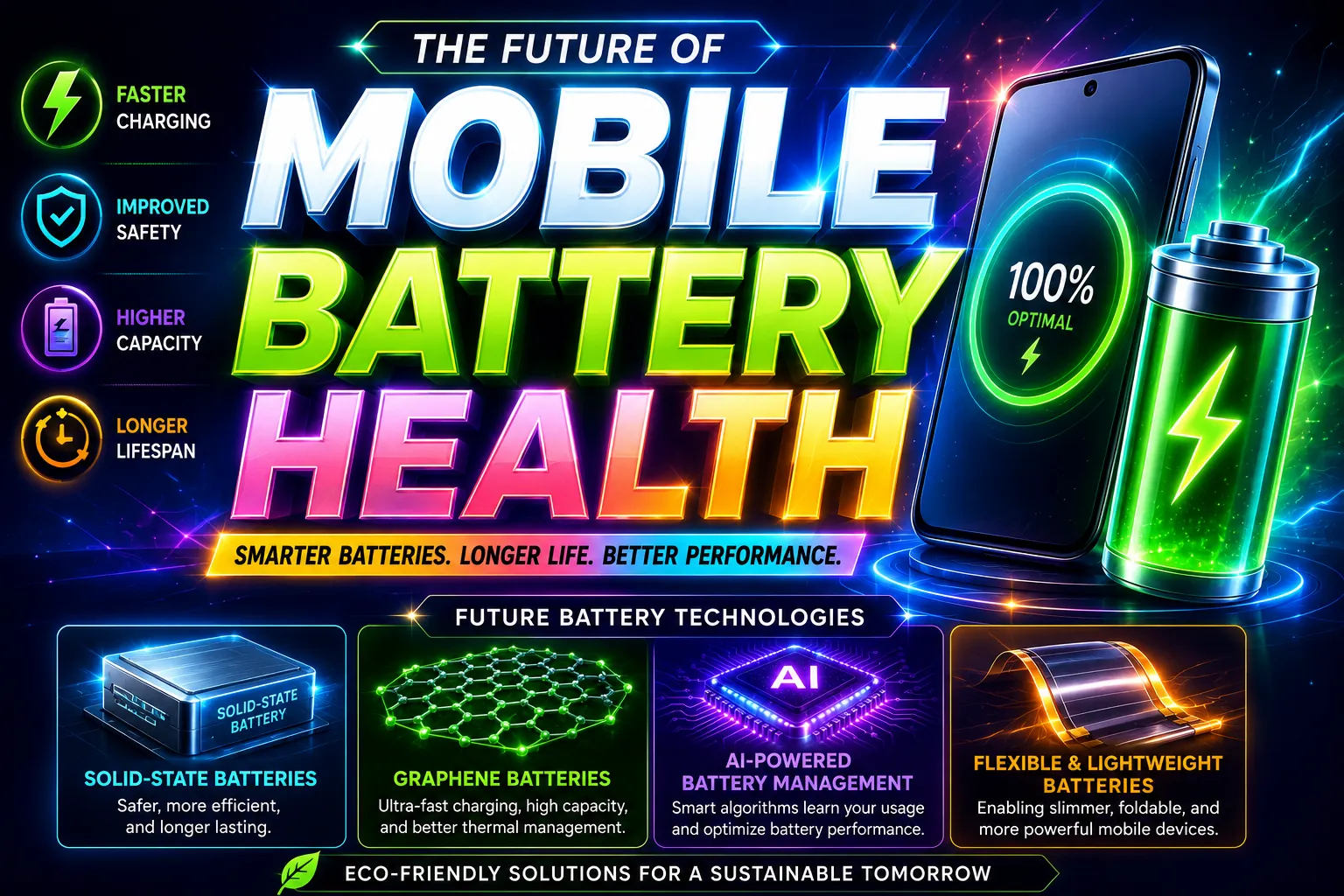
Solid-State Batteries
Solid-state batteries may provide:
- Faster charging
- Greater safety
- Higher energy density
- Longer lifespan
Graphene Batteries
Graphene technology promises:
- Extremely fast charging
- Improved heat management
- Better durability
AI-Powered Battery Management
Artificial intelligence can analyze user behavior and optimize charging patterns automatically.
As a result, future smartphones may maintain battery health more effectively than current devices.
Frequently Asked Questions
How can I improve mobile battery health?
You can improve battery health by reducing heat exposure, using battery saver mode, avoiding complete discharges, updating software regularly, and following proper charging habits.
What battery percentage is considered healthy?
Battery health above 80% is generally considered good for most smartphones.
Is it safe to charge a phone overnight?
Modern smartphones include charging protection systems. Therefore, occasional overnight charging is usually safe. However, excessive heat should always be avoided.
Does dark mode really save battery?
Yes. Dark mode can reduce battery consumption on OLED displays because dark pixels require less power.
How long does a smartphone battery typically last?
Most lithium-ion batteries remain effective for approximately two to five years depending on usage habits, charging cycles, and environmental conditions.
Does fast charging reduce battery lifespan?
Fast charging generates additional heat. However, modern devices include protection mechanisms that minimize damage when certified chargers are used.
Should I keep my battery between 20% and 80%?
Maintaining battery levels between 20% and 80% can help reduce long-term battery stress and improve lifespan.
Technology continues to evolve rapidly. Therefore, staying updated with practical guides and troubleshooting tutorials can help users get the best performance from their devices while extending battery life and improving productivity.
My Personal Experience with Mobile Battery Health
Over the years, I have used several Android smartphones and noticed that battery performance often depends more on usage habits than the phone itself. Earlier, I used to keep my phone charging overnight regularly and frequently allowed the battery to drop below 10%. As a result, battery backup gradually became shorter, and the device started heating up more during daily use.
However, after following better charging practices, such as keeping the battery between 20% and 80%, reducing screen brightness, and limiting unnecessary background applications, I noticed a clear improvement in battery performance. Moreover, enabling battery saver mode during long days helped extend battery life significantly.
Another important lesson I learned was the impact of heat on battery health. Whenever the phone became excessively warm during charging or gaming, battery performance seemed to decline faster. Therefore, I now avoid charging the device in direct sunlight and remove the phone case when necessary during charging.
Based on my experience, small changes in daily habits can make a noticeable difference. While battery aging is natural, proper care can help maintain better battery health, improve performance, and extend the overall lifespan of a smartphone.
Conclusion
Mobile battery health is one of the most important factors affecting smartphone performance and user experience. Although battery degradation is a natural process, proper care can significantly slow it down. By understanding how batteries work, avoiding excessive heat, optimizing device settings, and following smart charging habits, users can extend battery life and maintain reliable performance for years.
Moreover, simple practices such as reducing screen brightness, managing background applications, enabling battery-saving features, and using quality chargers can make a noticeable difference. Therefore, users who actively maintain battery health often enjoy better performance, longer battery backup, and fewer device-related frustrations.
Ultimately, a healthy battery not only improves daily smartphone usage but also helps maximize the overall lifespan of the device.
For additional technical information about lithium-ion batteries and charging behavior, users can refer to Battery University, a well-known educational resource on battery technology.
External Authority Links
- Android Battery Help
- Apple Battery Information
- Battery University

Gul Fahad is the founder of Readsinfo and a content creator focused on Artificial Intelligence, Technology, Online Earning, and Education. He shares practical guides, digital learning resources, and real-world insights to help readers develop valuable skills and stay updated with modern trends.