
How to Connect Mobile Screen to TV Using Wireless and Wired Methods
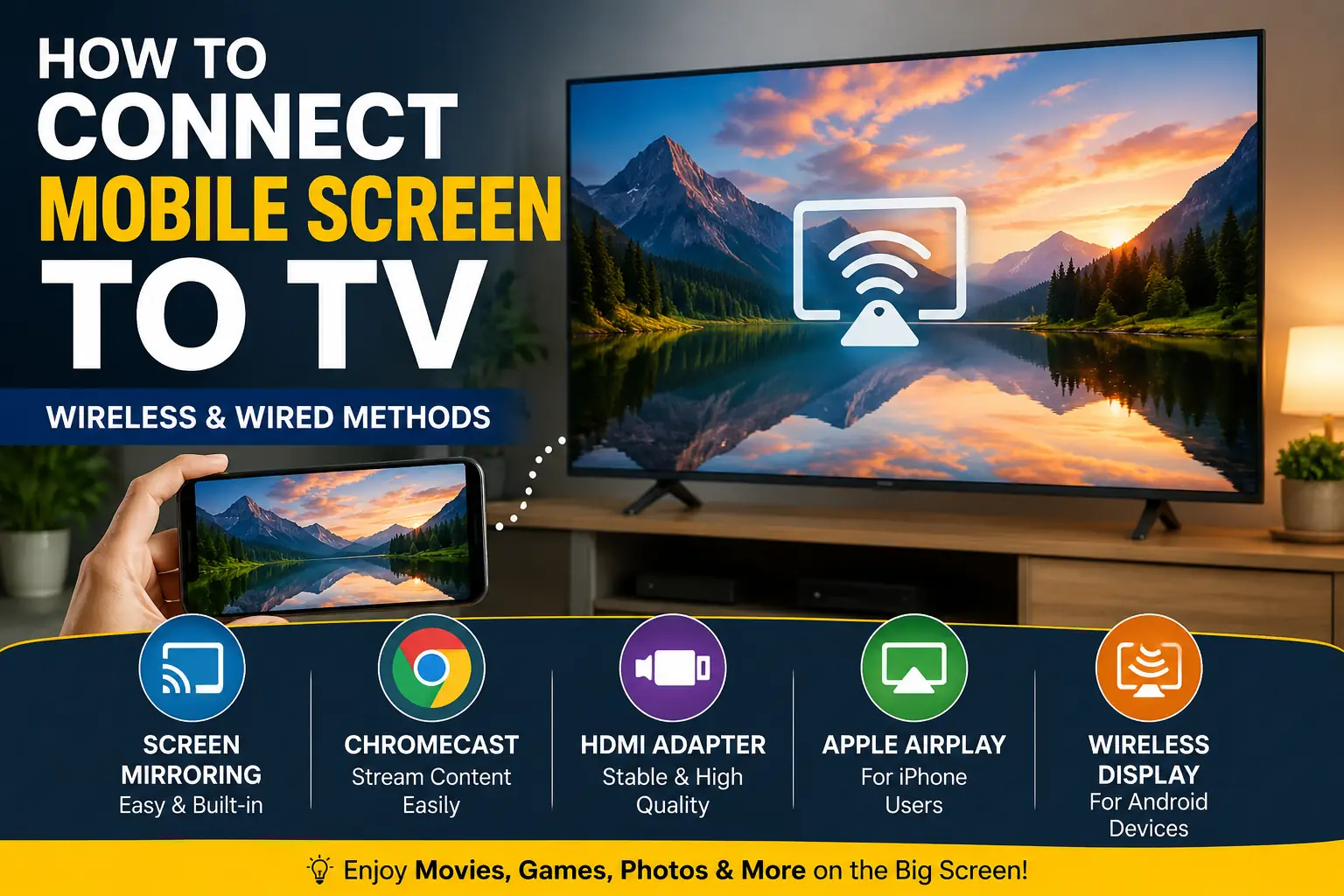
Quick Answer If you want to connect mobile screen to TV, you can use wireless screen mirroring, Chromecast, built-in smart TV casting features, or an HDMI adapter. The best method depends on your phone model, TV type, and internet availability. Many people connect their phones to a TV for watching videos, playing games, sharing photos,…
Quick Answer
If you want to connect mobile screen to TV, you can use wireless screen mirroring, Chromecast, built-in smart TV casting features, or an HDMI adapter. The best method depends on your phone model, TV type, and internet availability.
Many people connect their phones to a TV for watching videos, playing games, sharing photos, attending online classes, or presenting content on a larger screen. Fortunately, modern TVs and smartphones make this process much easier than before.
Table Briefing Detail
| Section | Details |
|---|---|
| Quick Answer | Fast overview of mobile-to-TV connection methods |
| Connection Comparison | Wireless vs wired methods |
| Wireless Methods | Screen mirroring and casting |
| Chromecast Setup | Google Chromecast guide |
| HDMI Connection | Wired connection options |
| Android Phone Setup | Android-specific instructions |
| iPhone Setup | Apple device connection methods |
| Troubleshooting | Common issues and fixes |
| FAQs | Frequently asked questions |
| Conclusion | Final recommendations |
Mobile to TV Connection Comparison
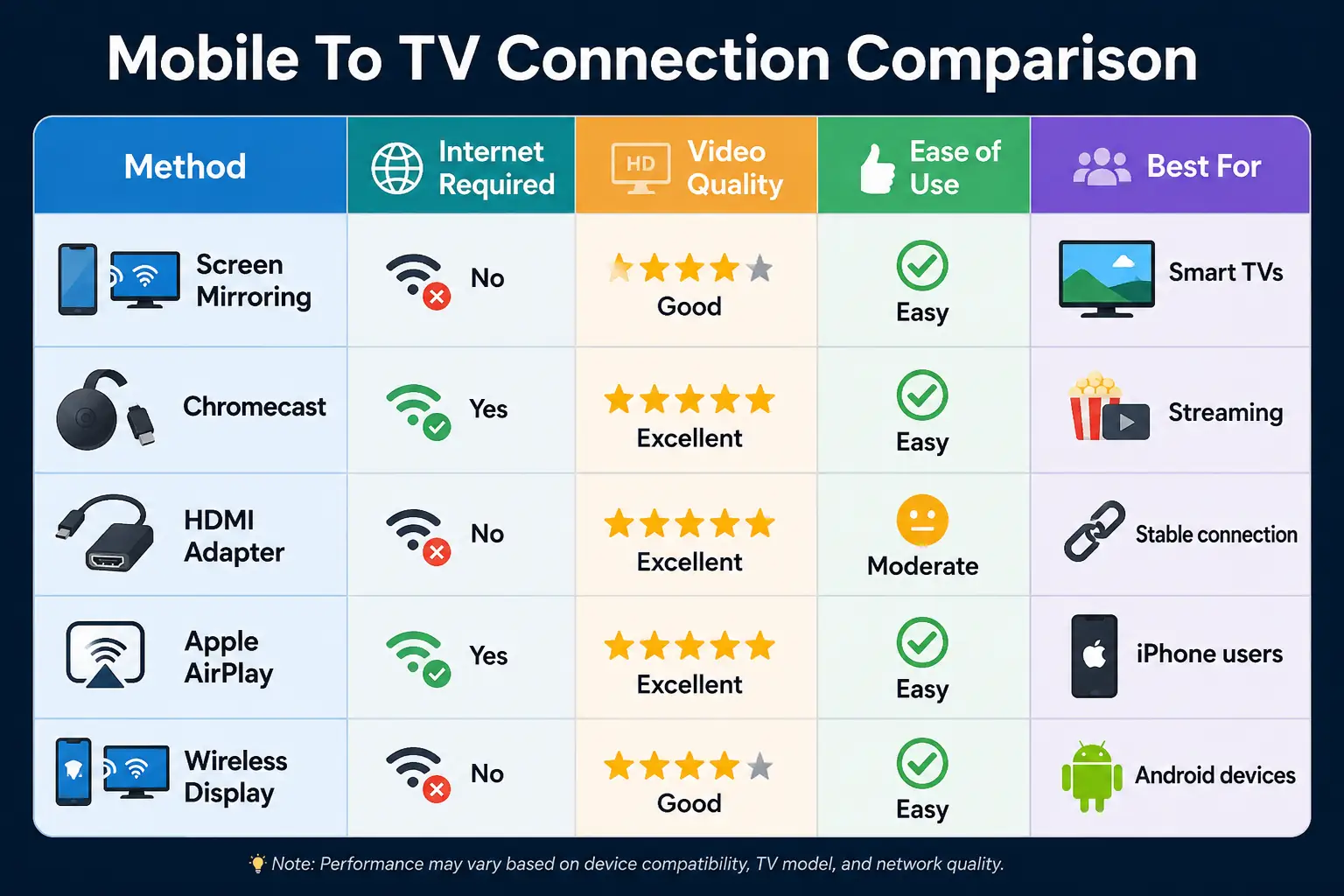
| Method | Internet Required | Video Quality | Ease of Use | Best For |
|---|---|---|---|---|
| Screen Mirroring | No | Good | Easy | Smart TVs |
| Chromecast | Yes | Excellent | Easy | Streaming |
| HDMI Adapter | No | Excellent | Moderate | Stable connection |
| Apple AirPlay | Yes | Excellent | Easy | iPhone users |
| Wireless Display | No | Good | Easy | Android devices |
Why People Want to Connect Mobile Screen to TV
Connect Mobile Screen to TV for Entertainment
Watching movies and videos on a smartphone is convenient. However, a larger screen creates a much better viewing experience.
Moreover, many streaming services support TV casting directly from mobile devices. As a result, users can enjoy content on a bigger display without downloading additional files.
Connect Mobile Screen to TV for Gaming
Mobile gaming has become increasingly popular over the last few years.
Furthermore, connecting a phone to a TV allows players to enjoy games on a larger screen. Consequently, the overall gaming experience becomes more immersive and enjoyable.
Connect Mobile Screen to TV for Work and Education
Many students and professionals need larger displays for presentations, online meetings, and educational content.
Therefore, the ability to connect mobile screen to TV can improve productivity and make information easier to share with groups.
Best Ways to Connect Mobile Screen to TV
Connect Mobile Screen to TV Using Wireless Screen Mirroring
Wireless screen mirroring is one of the simplest methods available today.
Most smart TVs include built-in screen mirroring support. Therefore, users can display their mobile screens without additional cables or accessories.
Moreover, this method works particularly well for presentations, photos, and general smartphone usage.
Requirements to Connect Mobile Screen to TV Wirelessly
Before starting, ensure both devices support wireless display technology.
In addition, keeping both devices connected to the same Wi-Fi network often improves compatibility and performance.
Consequently, users usually experience fewer connection issues.
Advantages of Wireless Screen Mirroring
Wireless connections eliminate cable clutter and provide greater flexibility.
Furthermore, users can move freely while controlling content from their smartphones. As a result, wireless screen mirroring remains one of the most popular options.
Connect Mobile Screen to TV Using Chromecast
What Is Chromecast?
Chromecast is Google’s streaming device that enables users to cast content from smartphones directly to televisions.
Unlike traditional screen mirroring, Chromecast streams supported content directly from the internet. Therefore, it often delivers smoother playback.
How Chromecast Helps Connect Mobile Screen to TV
After connecting Chromecast to a television, users can cast supported apps such as YouTube and Netflix.
Moreover, many Android devices include built-in casting support. Consequently, setup usually takes only a few minutes.
Benefits of Chromecast Casting
Chromecast provides excellent video quality and reliable performance.
In contrast to some screen mirroring solutions, Chromecast places less strain on the smartphone battery. Therefore, it remains a preferred option for streaming enthusiasts.
Connect Mobile Screen to TV Using HDMI
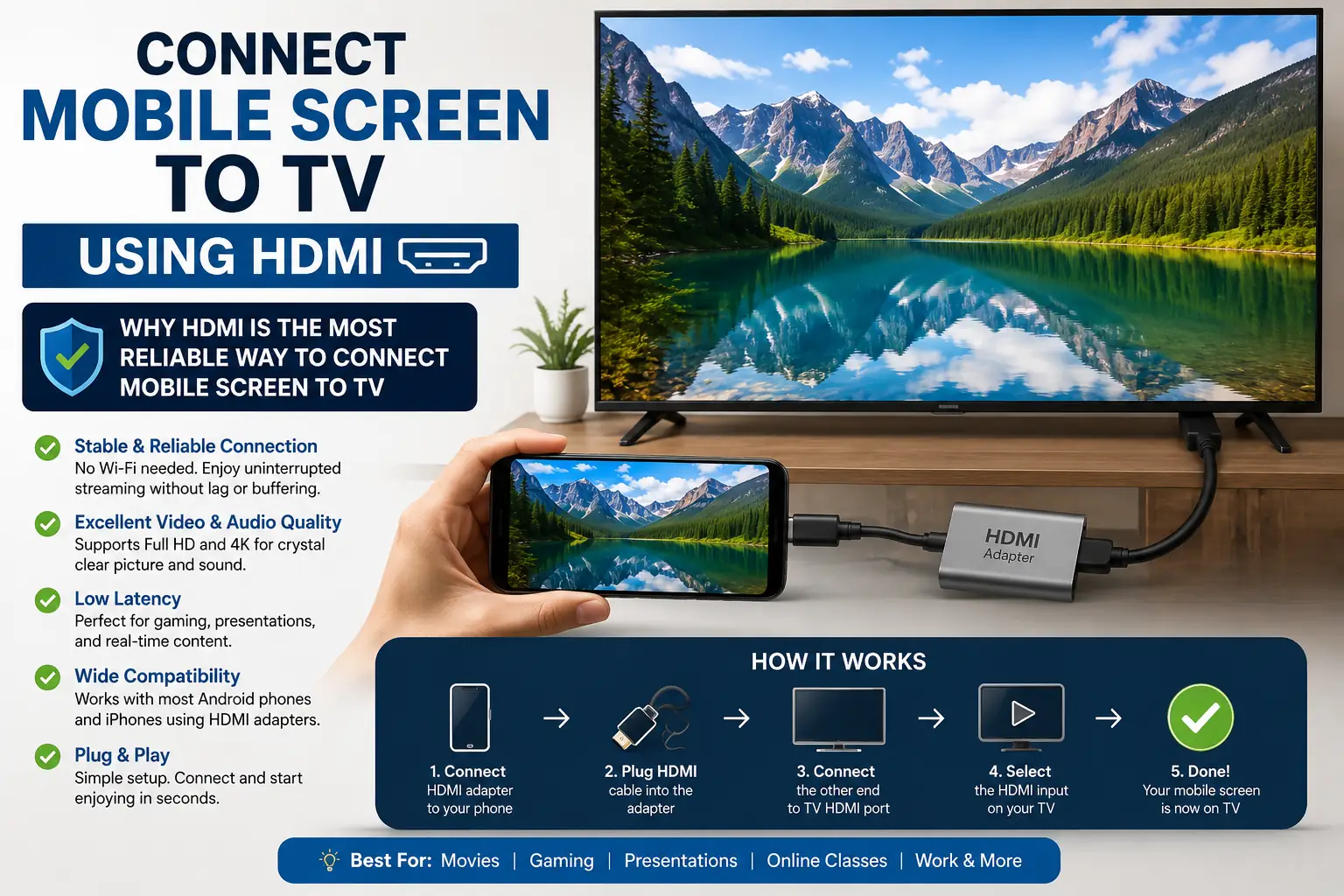
Why HDMI Is the Most Reliable Way to Connect Mobile Screen to TV
Wireless methods are convenient. However, they can sometimes experience lag, signal drops, or compatibility issues.
In contrast, an HDMI connection provides a direct link between your phone and television. As a result, users often enjoy smoother video playback and lower latency.
Moreover, HDMI works well for gaming, presentations, and high-resolution video streaming.
What You Need to Connect Mobile Screen to TV With HDMI
Most smartphones require a compatible HDMI adapter.
Android users may need a USB-C to HDMI adapter. Meanwhile, iPhone users typically require a Lightning to HDMI adapter.
After connecting the adapter and HDMI cable, the TV usually detects the device automatically.
Benefits of HDMI Connections
HDMI offers excellent image quality and stable performance.
Furthermore, users do not need a Wi-Fi connection. Therefore, HDMI remains one of the most dependable ways to connect mobile screen to TV.
How to Connect Android Phone to TV
Connect Mobile Screen to TV Using Android Screen Casting
Most modern Android devices include built-in casting features.
To begin, open the quick settings panel and look for options such as Cast, Smart View, Screen Cast, or Wireless Display.
Once selected, the phone searches for compatible televisions nearby.
Smart TV Compatibility
Android phones work well with many smart TV brands.
For example, Samsung, Sony, LG, TCL, and Android TV devices often support wireless casting features.
Consequently, many users can connect mobile screen to TV without purchasing additional hardware.
Troubleshooting Android Casting Issues
Sometimes the TV may not appear in the available device list.
In such cases, restart both devices and ensure they are connected to the same network.
Additionally, updating software often resolves many connection problems.
How to Connect iPhone to TV
Connect Mobile Screen to TV Using AirPlay
Apple users can take advantage of AirPlay technology.
AirPlay allows iPhones to stream content wirelessly to compatible televisions and Apple TV devices.
Moreover, the setup process is generally simple and user-friendly.
Steps to Use AirPlay
Open the Control Center on your iPhone and select Screen Mirroring.
Next, choose the compatible TV from the available device list.
Within seconds, the iPhone display should appear on the television screen.
When AirPlay Is Not Available
Some televisions do not support AirPlay.
In such situations, users can use a Lightning to HDMI adapter instead.
As a result, even older TVs can display iPhone content effectively.
Common Problems When You Connect Mobile Screen to TV
TV Not Detecting the Phone
One of the most common issues occurs when the TV cannot find the smartphone.
However, this problem often has a simple solution.
Restarting both devices and reconnecting them to the same Wi-Fi network usually resolves detection issues.
Poor Video Quality During Screen Mirroring
Video quality may decrease if the wireless signal is weak.
Therefore, place the phone closer to the router whenever possible.
Furthermore, reducing network congestion can improve streaming performance.
Audio Not Playing Through the TV
Sometimes users can see the video but hear no sound.
In this situation, check the TV audio settings and ensure the correct output device is selected.
Consequently, audio synchronization problems can often be fixed quickly.
Which Method Is Best to Connect Mobile Screen to TV?
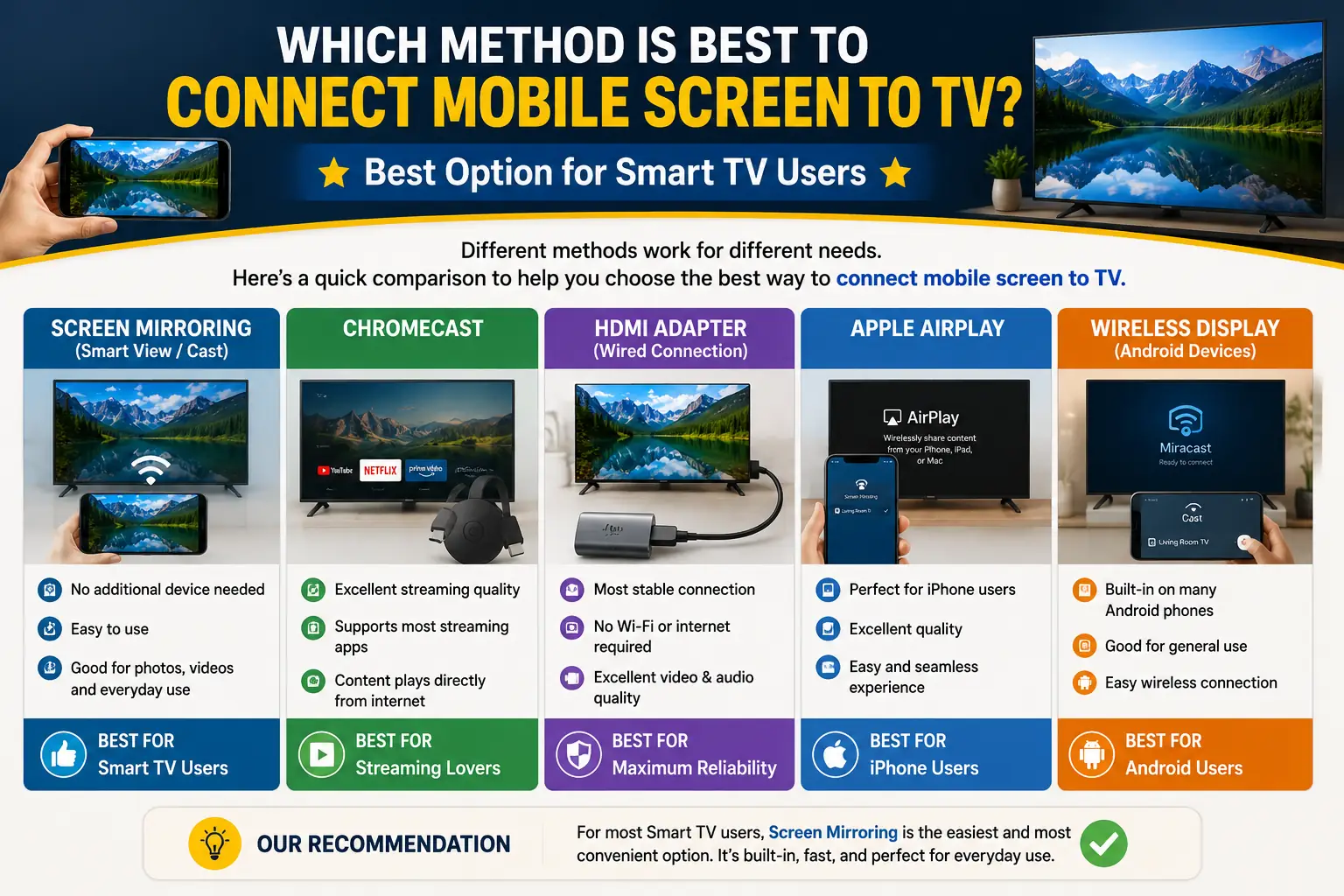
Best Option for Smart TV Users
Wireless screen mirroring is often the easiest solution.
Moreover, it requires minimal setup and supports everyday activities such as watching videos and sharing photos.
Best Option for Streaming Content
Chromecast remains an excellent choice for streaming platforms.
Because Chromecast handles the streaming process directly, users often experience smoother playback.
Best Option for Maximum Reliability
HDMI connections offer the most stable performance.
Therefore, users who prioritize reliability should consider a wired connection whenever possible.
Related Articles
- Top WhatsApp Hidden Features Most Users Never Use
- Mobile Battery Health Guide: How to Extend Battery Life
- How to Remove Mobile Screen Scratches at Home: Complete Guide
- Nokia Secret Codes Explained: Hidden Features & Useful Functions
- SSD vs HDD: Which Storage Option Is Right for You?
Frequently Asked Questions
Can I Connect Mobile Screen to TV Without Wi-Fi?
Yes. You can connect mobile screen to TV without Wi-Fi by using an HDMI adapter and cable. Moreover, some wireless display technologies also support direct connections without requiring an internet connection.
How Do I Connect Mobile Screen to TV Wirelessly?
Most smart TVs support wireless screen mirroring or casting. Open the casting feature on your phone, select the available TV, and follow the on-screen instructions to establish the connection.
Why Can’t I Connect phone Screen to TV?
Several factors can prevent a successful connection. For example, incompatible devices, outdated software, network issues, or disabled screen mirroring features may cause problems. Therefore, always check device compatibility first.
Can I Connect Mobile to TV Using USB?
A standard USB cable usually cannot mirror a phone screen directly to a TV. However, some smartphones support USB-C to HDMI adapters, which provide a reliable wired connection.
Is Chromecast Better Than Screen Mirroring?
Chromecast often delivers smoother streaming performance because it streams content directly from the internet. In contrast, screen mirroring duplicates the entire phone display and may consume more battery power.
What Is the Best Way to Connect Mobile Screen to TV?
The best method depends on your needs. Wireless screen mirroring offers convenience, Chromecast provides excellent streaming performance, and HDMI delivers the most stable connection.
Conclusion
Learning how to connect mobile screen to TV can significantly improve entertainment, productivity, and content sharing. Whether you want to watch movies, play games, attend online classes, or deliver presentations, a larger screen provides a much better viewing experience.
Fortunately, modern smartphones and televisions offer several connection methods. Wireless screen mirroring remains the easiest option for most users. Meanwhile, Chromecast provides excellent streaming capabilities, and HDMI connections deliver maximum reliability.
Before choosing a method, consider your device compatibility, internet availability, and intended use. As a result, you can select the most effective solution for your specific setup.
Ultimately, once you understand the available options, it becomes much easier to connect mobile screen and enjoy your favorite content on a larger display.
Helpful Resources
Disclaimer
The information provided in this article is intended for educational purposes only. Device compatibility and available features may vary depending on smartphone models, TV brands, operating systems, and software versions. Always refer to the official documentation of your device manufacturer for specific instructions and compatibility requirements.
About the Author
Gul Fahad is a technology and digital content writer who covers smartphones, computer hardware, online earning, and practical technology guides. Through Readsinfo, he shares easy-to-understand tutorials and informative articles designed to help readers solve everyday tech problems.

Gul Fahad is the founder of Readsinfo and a content creator focused on Artificial Intelligence, Technology, Online Earning, and Education. He shares practical guides, digital learning resources, and real-world insights to help readers develop valuable skills and stay updated with modern trends.
Appreciate the depth in this piece. For quick 4–6s image gens with search boost, see Nano Banana 2 at /. Nano Banana 2