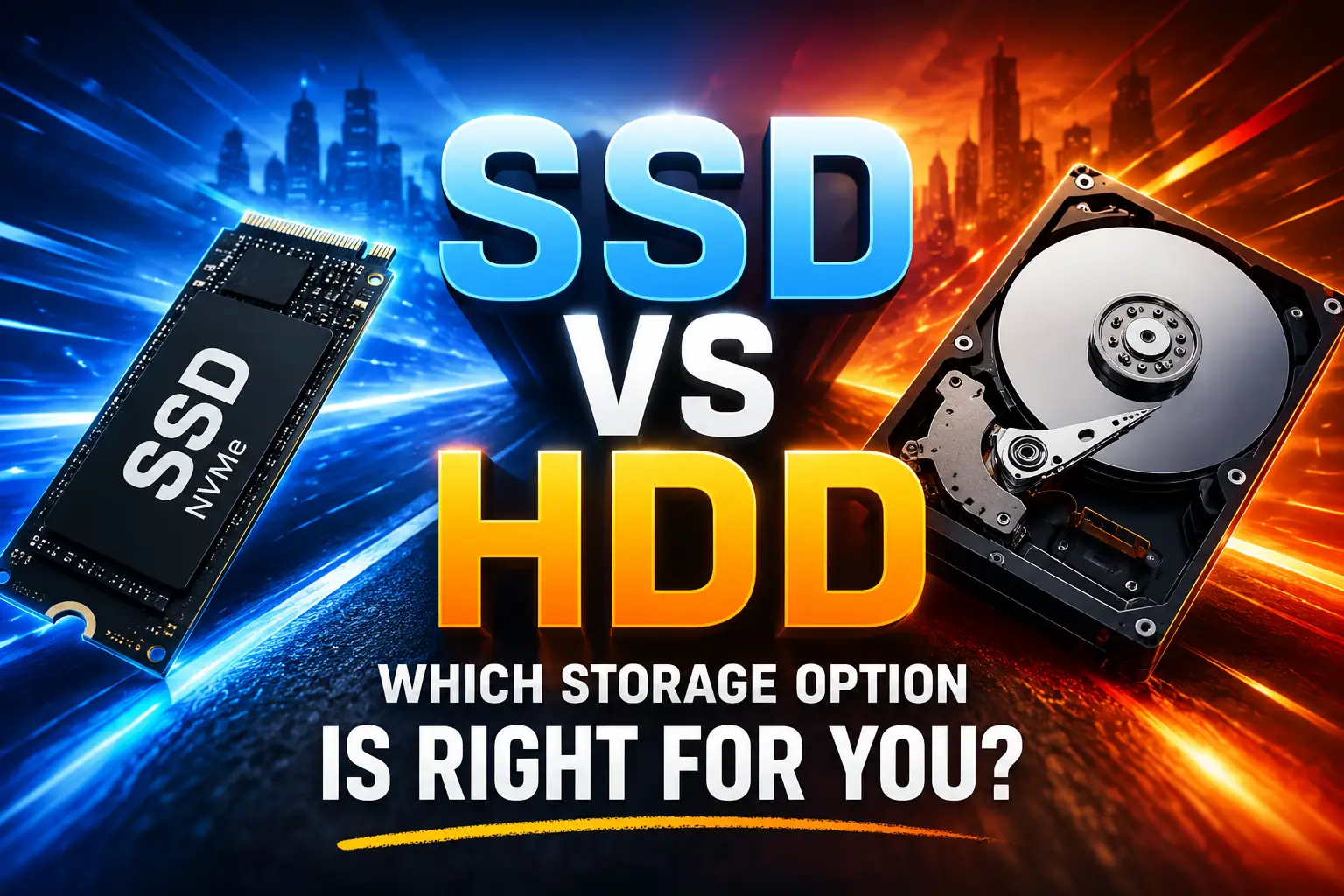
SSD vs HDD: Which Storage Option Is Right for You?
Quick Overview SSD vs HDD is one of the most important storage comparisons for anyone buying or upgrading a computer. While both storage devices serve the same purpose, they differ significantly in speed, performance, reliability, and cost. SSDs offer faster loading times and better responsiveness, whereas HDDs provide larger storage capacities at lower prices. This…
Quick Overview
SSD vs HDD is one of the most important storage comparisons for anyone buying or upgrading a computer. While both storage devices serve the same purpose, they differ significantly in speed, performance, reliability, and cost.
SSDs offer faster loading times and better responsiveness, whereas HDDs provide larger storage capacities at lower prices. This guide explains the key differences between SSD and HDD storage, helping you choose the right option for your needs, budget, and daily computing tasks.
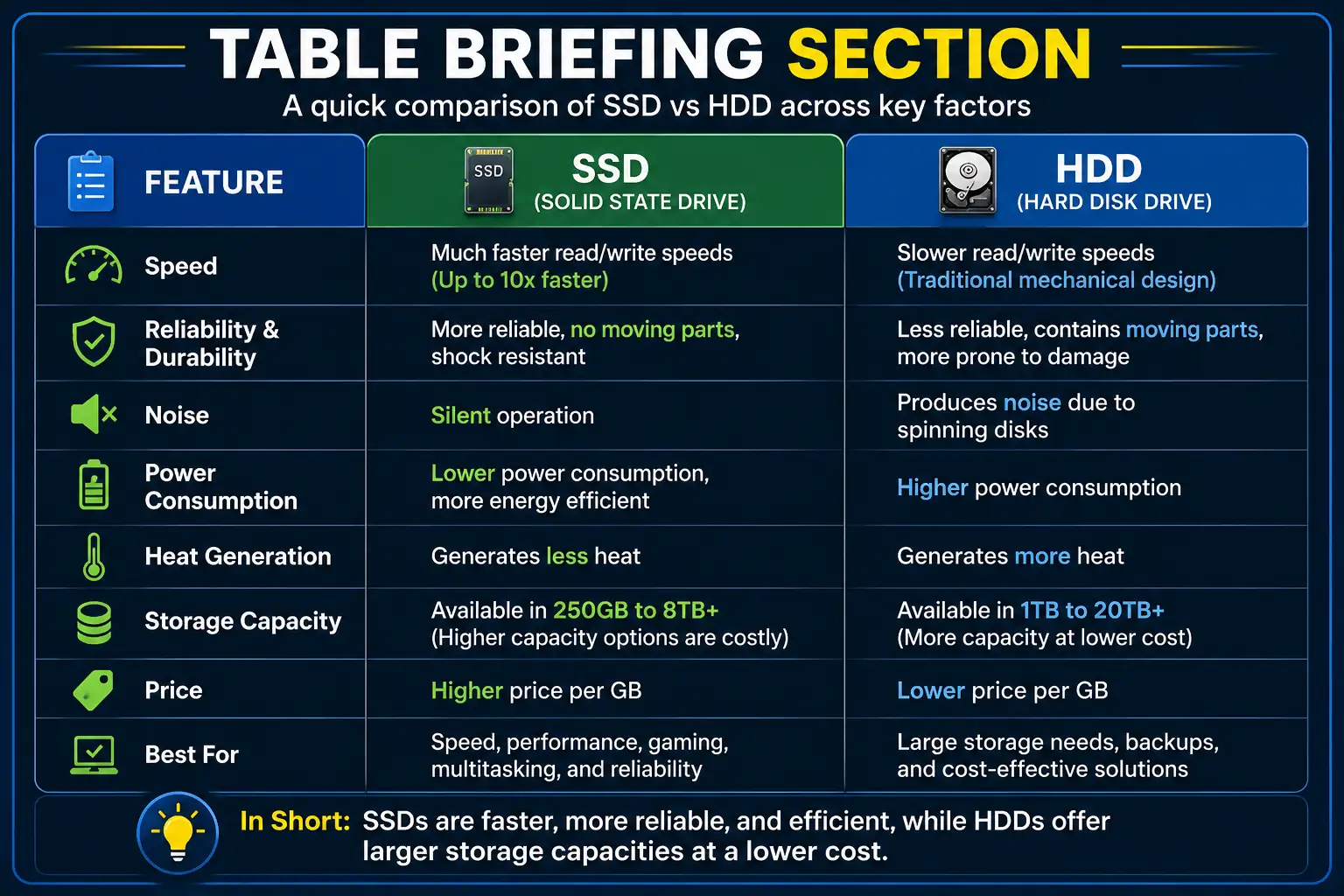
Table Briefing Section
| Section | Details |
|---|---|
| Introduction | Understanding storage technology and its importance |
| What Is an SSD? | How SSDs work and their advantages |
| What Is an HDD? | How HDDs work and their benefits |
| SSD vs HDD Speed Comparison | Performance differences in daily use |
| SSD vs HDD for Gaming | Gaming performance and loading times |
| SSD vs HDD Reliability | Durability and lifespan comparison |
| SSD vs HDD Storage Capacity | Available storage options |
| SSD vs HDD Price Comparison | Cost and value analysis |
| Which Storage Option Is Right for You? | Recommendations for different users |
| FAQ | Common questions and answers |
| Conclusion | Final verdict and recommendations |
Contents
| Main Sections |
| Introduction |
| What Is an SSD? |
| What Is an HDD? |
| SSD vs HDD Speed Comparison |
| SSD vs HDD Performance Comparison |
| SSD vs HDD for Gaming |
| SSD vs HDD Reliability and Lifespan |
| SSD vs HDD Storage Capacity |
| SSD vs HDD Price Comparison |
| Which Storage Option Is Right for You? |
| Conclusion |
| FAQ Section |
| Author Information |
| Disclaimer |
Introduction
SSD vs HDD is a comparison that can dramatically influence your computer’s speed, performance, and overall user experience.
Your computer may appear powerful on the surface, yet one component often determines how fast everything runs. Surprisingly, many users invest in processors and RAM upgrades while ignoring the storage drive responsible for loading files and applications.
When comparing ssd vs hdd, many people focus only on storage capacity. However, the differences go far beyond available space. Storage technology directly affects startup times, application performance, file transfers, gaming experiences, and overall system responsiveness.
Moreover, choosing the wrong storage solution can result in slower performance and unnecessary frustration. Therefore, understanding the differences between SSDs and HDDs is essential before upgrading your computer or purchasing a new one.
What Is an SSD?
Understanding SSD Technology
A Solid-State Drive, commonly known as an SSD, stores data using flash memory chips. Unlike traditional hard drives, SSDs do not rely on spinning disks or moving mechanical components.
Consequently, SSDs can access data much faster than conventional storage devices. Moreover, they operate silently because there are no moving parts inside the drive.
Why SSDs Are So Fast
SSDs read and write data almost instantly. Therefore, operating systems start quickly, and applications open within seconds.
Furthermore, file transfers are significantly faster compared to traditional hard drives. As a result, users enjoy a smoother and more responsive computing experience.
Major Advantages of SSDs
SSDs provide outstanding speed, lower power consumption, quieter operation, and greater durability. In addition, they are more resistant to physical damage because they contain no mechanical components.
Consequently, SSDs have become the preferred storage choice for modern laptops and desktop computers.
What Is an HDD?
Understanding HDD Technology
A Hard Disk Drive, or HDD, stores data on magnetic spinning disks known as platters. Mechanical read-and-write heads move across these platters to access information.
Although this technology has been around for decades, HDDs remain widely used due to their affordability and large storage capacities.
Why HDDs Remain Popular
Many users need substantial storage space for videos, backups, software libraries, and archived files. Therefore, HDDs continue to offer excellent value for those who prioritize capacity over speed.
Moreover, HDDs are available in larger capacities at a lower cost compared to most SSD options.
Key Benefits of HDDs
The biggest advantage of HDDs is their lower cost per gigabyte. As a result, users can purchase significantly more storage without increasing their budget.
Furthermore, HDDs remain an excellent choice for storing large amounts of data that do not require frequent or high-speed access.
SSD vs HDD Speed Comparison
Boot Time and System Startup
One of the biggest differences in the ssd vs hdd debate is startup speed. An SSD can boot a modern operating system in just a few seconds, whereas an HDD may take considerably longer to complete the same task.
Moreover, SSDs reduce waiting times when launching applications and opening files. As a result, users experience a faster and more responsive system from the moment they turn on their computers.
According to Microsoft, faster storage devices can significantly improve overall system responsiveness and application performance. You can learn more from Microsoft’s official Windows documentation: https://support.microsoft.com
File Transfer Performance
File transfer speed is another area where SSDs clearly outperform HDDs. Large files such as videos, software packages, and game installations move much faster on SSD storage.
Furthermore, SSDs maintain consistent performance during heavy workloads. In contrast, HDDs may slow down when handling multiple read-and-write operations simultaneously.
For users who regularly work with large files, an SSD can save valuable time every day. Consequently, professionals often prefer SSDs for productivity-focused tasks.
Application Loading Speed
Applications rely heavily on storage performance. Therefore, software installed on an SSD typically launches much faster than software stored on an HDD.
Moreover, creative applications such as Adobe Photoshop, Premiere Pro, and AutoCAD benefit greatly from SSD storage. As a result, users spend less time waiting and more time working.
If your computer feels slow when opening programs, you may also find our guide on How to Speed Up a Slow PC helpful:
https://readsinfo.com/how-to-speed-up-a-slow-pc/
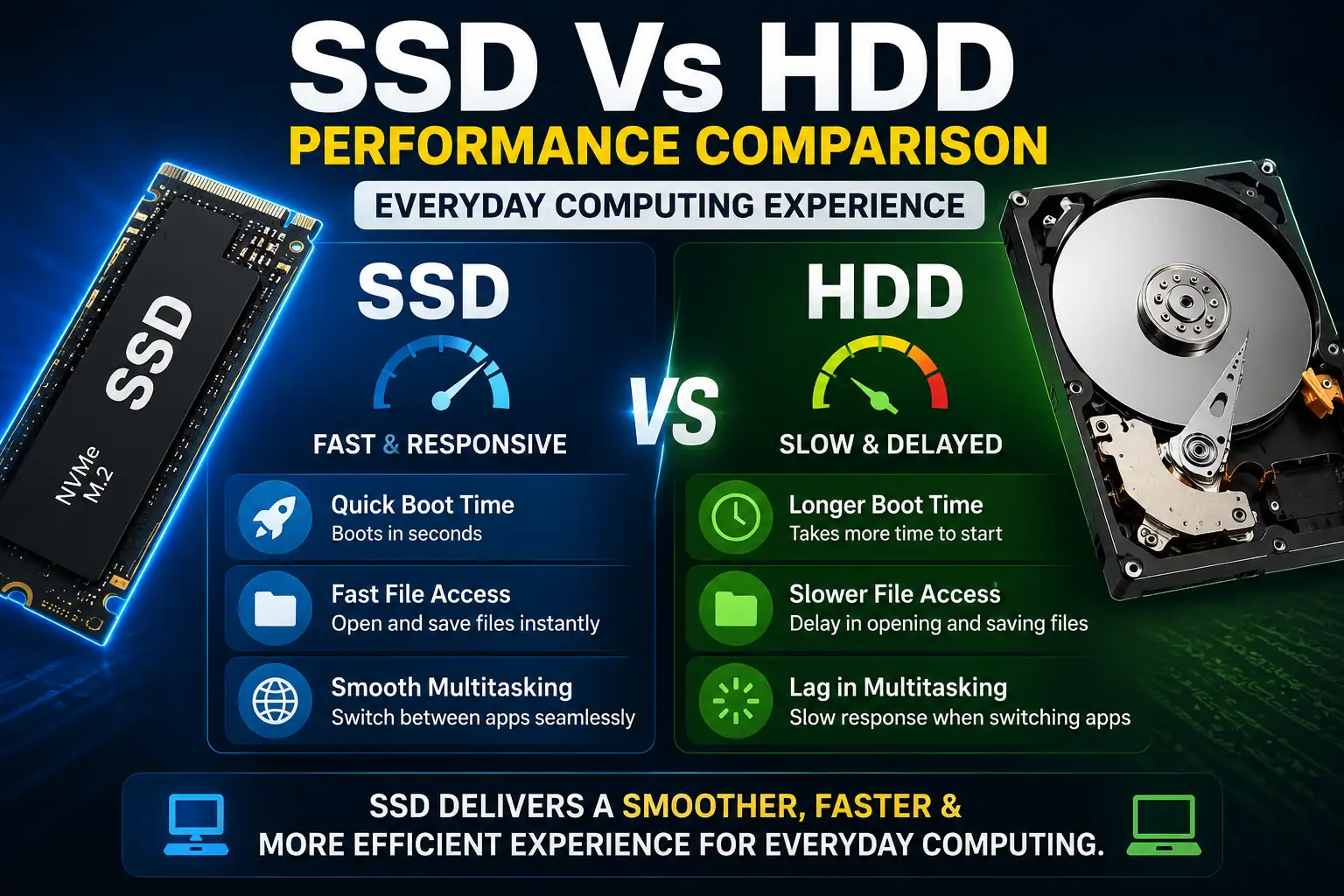
SSD vs HDD Performance Comparison
Everyday Computing Experience
For everyday tasks such as web browsing, document editing, and media consumption, SSDs provide a noticeably smoother experience.
Moreover, multitasking becomes easier because SSDs can quickly access multiple files and applications at the same time. Consequently, users experience fewer delays and interruptions.
Multitasking Efficiency
Modern users often run several applications simultaneously. Therefore, storage performance plays an important role in maintaining system responsiveness.
An SSD can handle multiple background processes more efficiently than an HDD. In contrast, HDDs may struggle when several applications request data at the same time.
As a result, SSD-equipped systems generally feel faster during multitasking scenarios.
Productivity Benefits
Professionals working with large spreadsheets, databases, and creative projects often benefit from SSD storage.
Furthermore, faster file access improves workflow efficiency. Consequently, users can complete tasks more quickly and reduce downtime throughout the day.
For additional information about storage technologies, visit Intel’s official resource center:
https://www.intel.com
SSD vs HDD for Gaming
Game Loading Times
Gaming is one of the most common reasons users upgrade their storage devices. While both SSDs and HDDs can run games, SSDs dramatically reduce loading times.
Moreover, modern games contain large textures and assets that must be loaded quickly. Therefore, SSDs provide a smoother gaming experience.
According to PlayStation and Xbox documentation, SSD technology has become a major factor in reducing game loading screens.
Official PlayStation information:
https://www.playstation.com
Open-World Game Performance
Large open-world games continuously load data while players explore virtual environments.
Consequently, SSDs help reduce texture pop-ins and loading delays. In contrast, HDDs may struggle to keep up with demanding game environments.
As a result, gameplay often feels smoother and more immersive on SSD-equipped systems.
Competitive Gaming Considerations
Although storage devices do not directly increase frame rates, SSDs can improve overall gaming convenience.
For instance, games launch faster, updates install more quickly, and loading screens become shorter. Therefore, competitive gamers often prefer SSD storage for a better overall experience.
If you’re planning a hardware upgrade, you may also find our article on computer performance optimization useful:
https://readsinfo.com/
SSD vs HDD Reliability and Lifespan
Physical Durability
Reliability is another important factor when comparing ssd vs hdd storage solutions.
Since SSDs contain no moving parts, they are generally more resistant to accidental drops and physical shocks. Consequently, they are particularly suitable for laptops and portable devices.
In contrast, HDDs contain delicate mechanical components that can be damaged by sudden impacts.
Long-Term Usage
Modern SSDs are designed to handle years of regular use. Moreover, advancements in flash memory technology have significantly improved SSD lifespan.
Meanwhile, HDDs can also last for many years when properly maintained. However, their mechanical nature introduces additional points of failure.
Therefore, SSDs are often considered more reliable for everyday computing.
Data Protection Considerations
Regardless of whether you choose an SSD or HDD, regular backups remain essential.
Furthermore, no storage device is completely immune to failure. As a result, maintaining backups through cloud services or external drives is always recommended.
For backup best practices, refer to Google’s official support resources:
https://support.google.com
Related Internal Resources
You may also find these guides useful:
- Speed Up a Slow PC: https://readsinfo.com/how-to-speed-up-a-slow-pc/
- Technology Guides: https://readsinfo.com/category/technology/
- AI and Productivity Resources: https://readsinfo.com/category/artificial-intelligence/
Trusted External Sources
- Microsoft Support: https://support.microsoft.com
- Intel Official Website: https://www.intel.com
- Google Support: https://support.google.com
- PlayStation Official Website: https://www.playstation.com
- Western Digital Storage Resources: https://www.westerndigital.com
(Continue with Part 3: SSD vs HDD Storage Capacity, Price Comparison, Which Storage Option Is Right for You, Conclusion, FAQs, Author Information, and Disclaimer.)
SSD vs HDD Storage Capacity Comparison
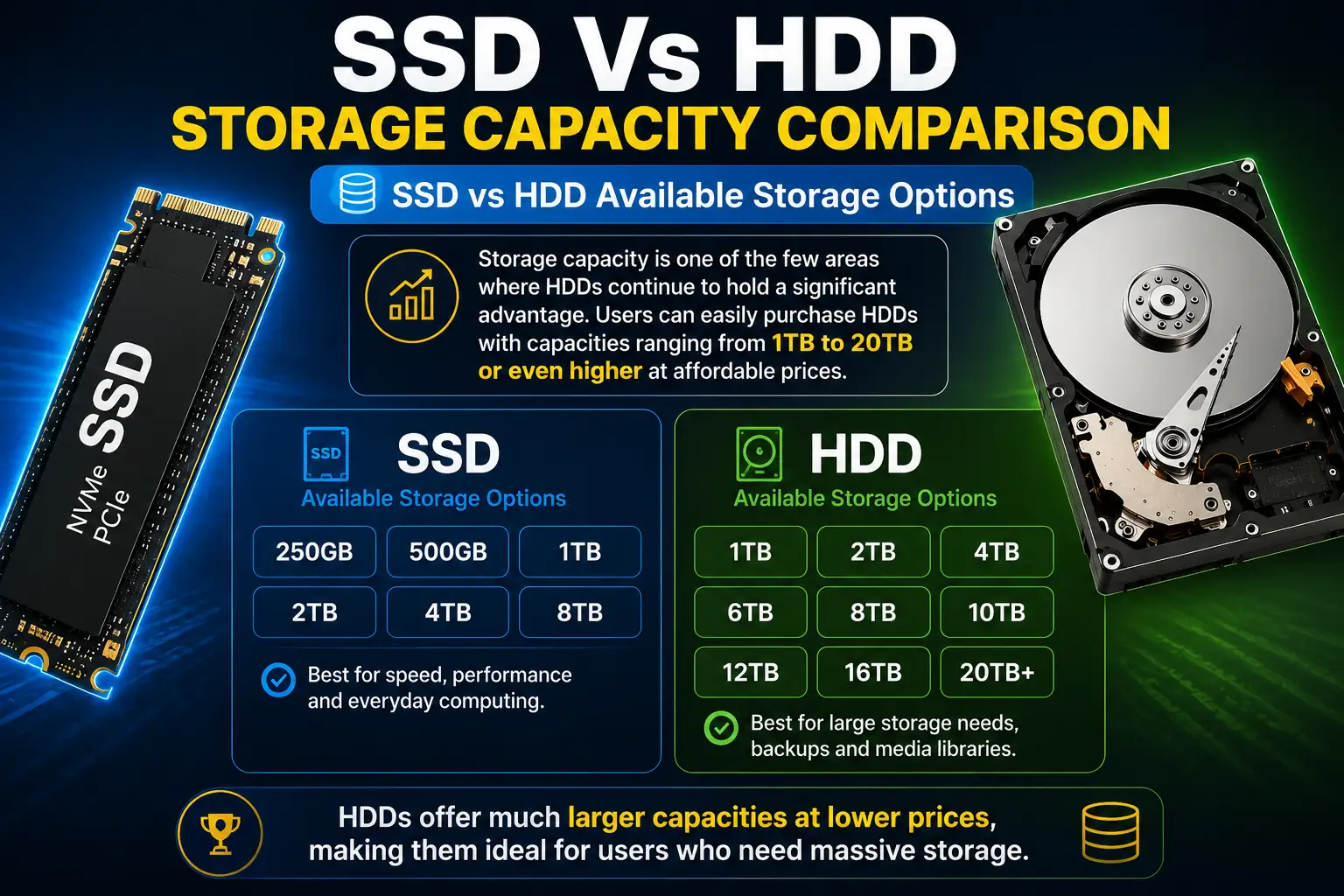
SSD vs HDD Available Storage Options
Storage capacity is one of the few areas where HDDs continue to hold a significant advantage. Users can easily purchase HDDs with capacities ranging from 1TB to 20TB or even higher at affordable prices.
Moreover, HDD manufacturers continue to develop larger storage solutions for businesses and data centers. Consequently, users who need massive amounts of storage often prefer HDD technology.
In contrast, SSD capacities have improved dramatically over the years. However, larger SSD models are still more expensive than HDDs with similar storage space.
SSD vs HDD for Personal Storage Needs
Most home users do not require extremely large storage capacities. Therefore, SSDs often provide enough space for operating systems, applications, photos, documents, and entertainment files.
Furthermore, cloud storage services have reduced the need for massive local storage. As a result, many users prioritize speed and responsiveness over raw capacity.
However, individuals with extensive video collections, large game libraries, or media archives may still benefit from additional HDD storage.
SSD vs HDD for Professional Storage Requirements
Professional users often handle large files that consume substantial storage space. Video editors, photographers, engineers, and designers frequently require multiple terabytes of storage.
Consequently, many professionals combine both technologies. They use SSDs for active projects while storing completed work on HDDs.
Therefore, a hybrid storage setup often provides the ideal balance between performance and storage capacity.
SSD vs HDD Price Comparison
SSD vs HDD Cost Per Gigabyte
Price remains one of the most important factors when purchasing a storage device. HDDs generally offer a much lower cost per gigabyte, making them attractive for users on a budget.
Moreover, a large-capacity HDD often costs significantly less than an SSD with the same storage size. Consequently, HDDs remain a cost-effective option for storing large amounts of data.
However, SSD prices have decreased steadily over recent years. Therefore, many consumers now view SSDs as an affordable upgrade.
SSD vs HDD Long-Term Value
Although SSDs usually cost more initially, they often provide greater long-term value through improved performance and reliability.
Furthermore, faster boot times and quicker application launches save time every day. As a result, many users consider SSDs a worthwhile investment rather than simply another hardware purchase.
In contrast, HDDs continue to provide excellent value when storage capacity is the primary concern.
SSD vs HDD Budget Considerations
Users with limited budgets should carefully evaluate their priorities before making a purchase.
For instance, a smaller SSD may deliver a much better user experience than a larger HDD. Meanwhile, users who mainly store movies, photos, and backups may benefit more from higher-capacity HDD storage.
Therefore, the best choice depends on how the computer will be used on a daily basis.
Which SSD vs HDD Option Is Right for You?
SSD vs HDD for Students
Students typically require a fast and reliable computer for assignments, research, presentations, and online learning.
Therefore, SSD storage is usually the better choice. Faster startup times and quicker application performance help improve productivity throughout the day.
Moreover, SSD-equipped laptops often provide better battery efficiency, making them ideal for students who work in different locations.
SSD vs HDD for Office Users
Office workers depend on productivity software, cloud applications, and multitasking throughout the day.
Consequently, SSDs help create a smoother computing experience. Faster file access reduces waiting times and improves workflow efficiency.
Therefore, most office users benefit more from SSD storage than traditional HDD solutions.
SSD vs HDD for Gamers
Modern games require fast storage to load textures, maps, and game assets efficiently.
Moreover, SSDs significantly reduce loading screens and installation times. As a result, gamers often prefer SSDs for their primary gaming drive.
However, HDDs can still serve as secondary storage for older games and large media collections.
SSD vs HDD for Content Creators
Content creators often need both speed and large storage capacity.
Therefore, many professionals use SSDs for editing projects and HDDs for long-term storage. This approach combines excellent performance with cost-effective capacity.
Consequently, hybrid storage systems remain extremely popular among photographers, video editors, and creative professionals.
Final Verdict: SSD vs HDD
When evaluating SSD vs HDD, there is no single answer that works for everyone. The ideal choice depends on your budget, storage requirements, and performance expectations.
However, SSDs clearly outperform HDDs in speed, responsiveness, reliability, and overall user experience. Consequently, SSDs have become the preferred storage solution for most modern computers.
On the other hand, HDDs continue to provide exceptional value for users who require large storage capacities at lower costs. Therefore, they remain useful for backups, archives, and media storage.
For most users, an SSD is the best primary storage option. Meanwhile, combining an SSD with an HDD often provides the perfect balance between performance and storage capacity.
Frequently Asked Questions
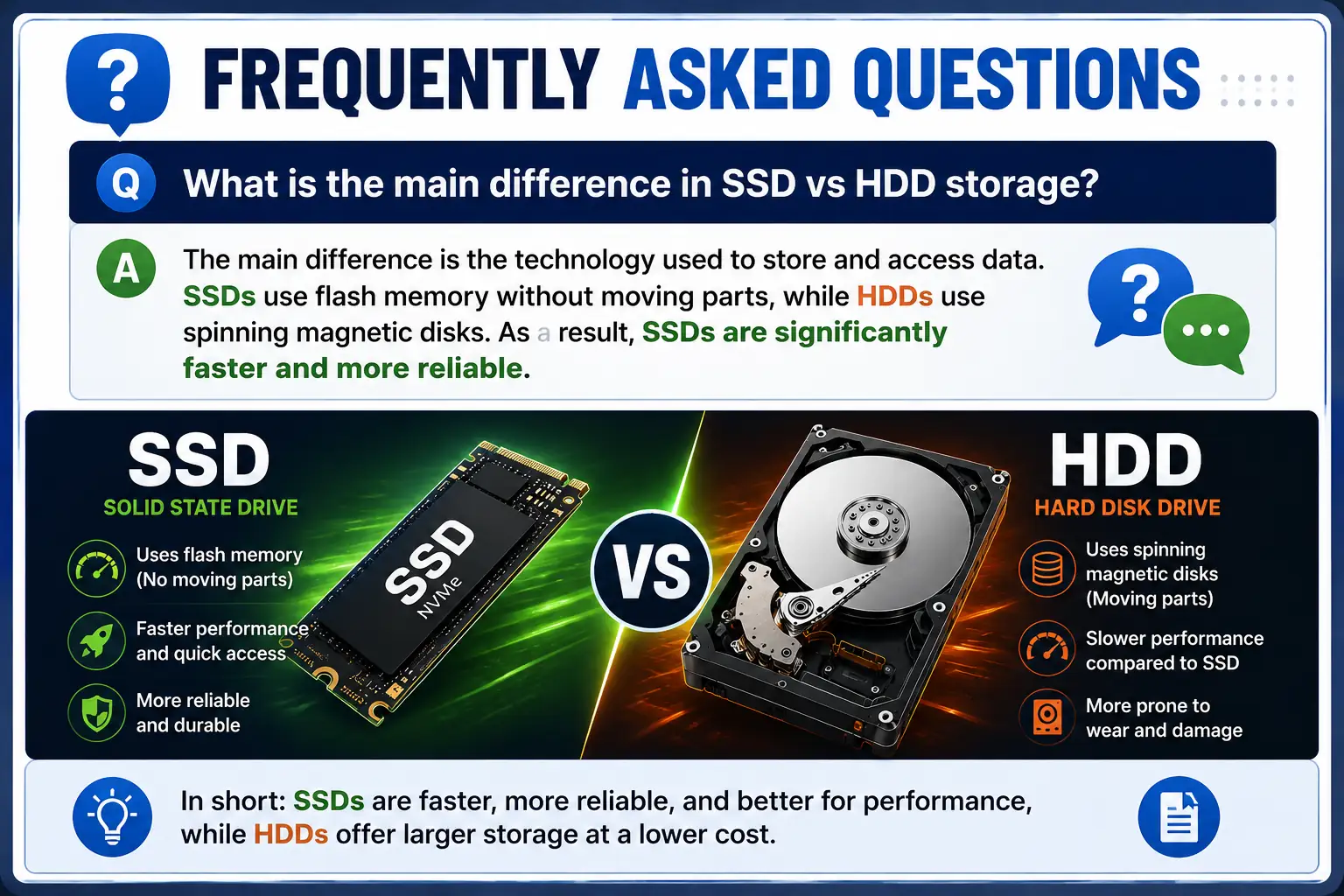
What is the main difference in SSD vs HDD storage?
The main difference is the technology used to store and access data. SSDs use flash memory without moving parts, while HDDs use spinning magnetic disks. As a result, SSDs are significantly faster and more reliable.
Is SSD vs HDD important for gaming performance?
Yes, SSD vs HDD can make a noticeable difference in gaming. SSDs reduce loading times, improve game responsiveness, and provide a smoother gaming experience, although they do not directly increase frame rates.
Which lasts longer in the SSD vs HDD comparison?
Modern SSDs are designed to last for many years and generally offer excellent reliability. While HDDs can also last a long time, their mechanical components create additional points of failure.
Should I choose SSD vs HDD for a laptop?
For most laptop users, SSDs are the better option because they provide faster performance, lower power consumption, and better resistance to physical shocks.
Which storage option wins the SSD vs HDD debate?
For most users, SSDs are the clear winner because of their superior speed, reliability, and user experience. However, HDDs remain an excellent choice when maximum storage capacity is the top priority.
Disclaimer
This article is intended for informational and educational purposes only. Product specifications, pricing, and performance may vary depending on manufacturers, hardware configurations, and future technological developments. Always verify information from official sources before making purchasing decisions.

Gul Fahad is the founder of Readsinfo and a content creator focused on Artificial Intelligence, Technology, Online Earning, and Education. He shares practical guides, digital learning resources, and real-world insights to help readers develop valuable skills and stay updated with modern trends.