
How to Create a Free Gemini Account for Students
Introduction Creating a free Gemini account for students is a simple way to access Google Gemini for learning, research, revision, and everyday study tasks. Instead of installing complicated software, students can generally get started with a Google Account and a supported device or browser. Moreover, Gemini can be useful for students who need help understanding…
Introduction
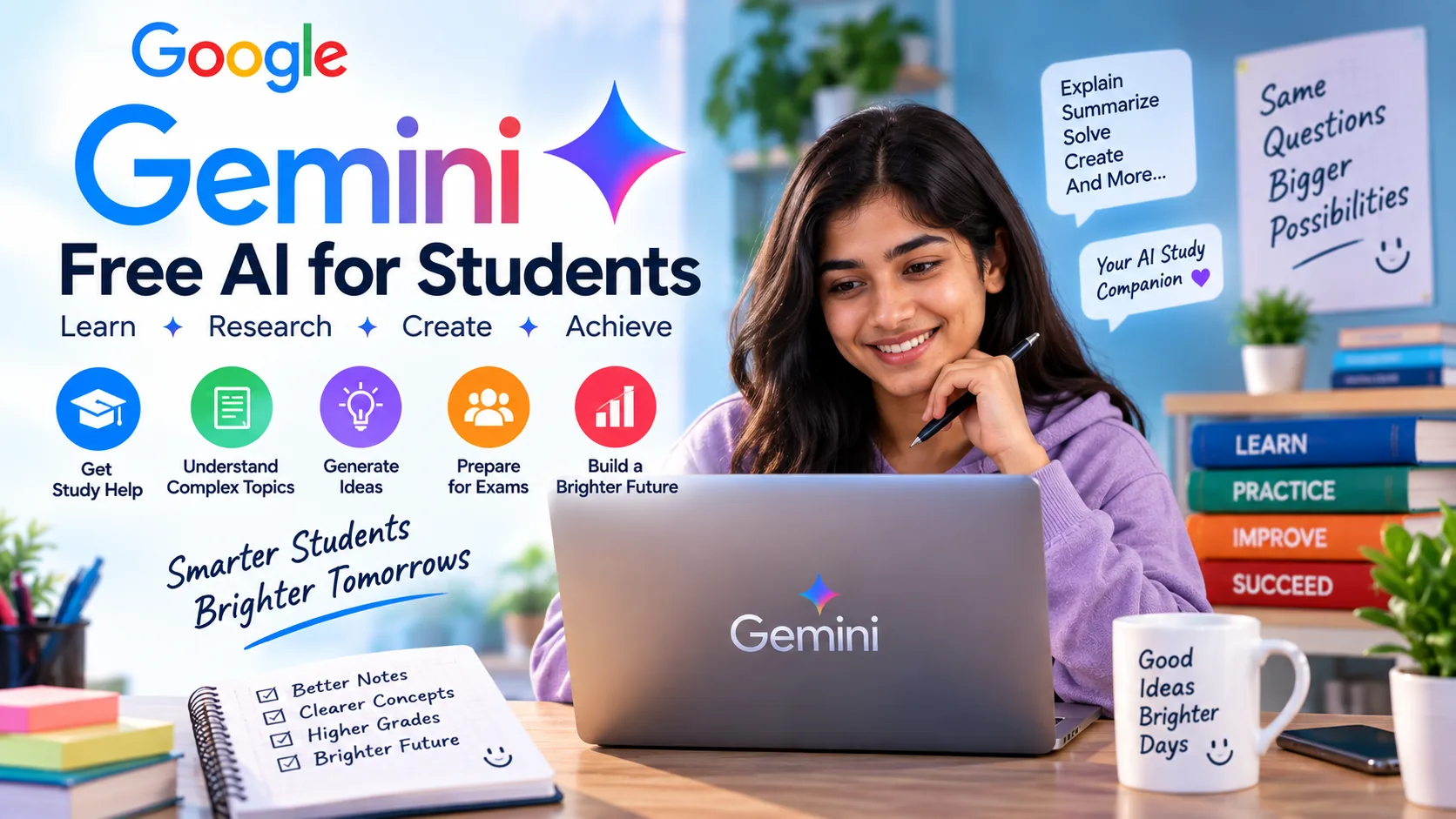
Creating a free Gemini account for students is a simple way to access Google Gemini for learning, research, revision, and everyday study tasks. Instead of installing complicated software, students can generally get started with a Google Account and a supported device or browser.
Moreover, Gemini can be useful for students who need help understanding difficult subjects. For example, you can ask it to explain a mathematics problem step by step, simplify a physics concept, create chemistry practice questions, or help you organize revision notes.
However, there is an important difference between a free Gemini account and a paid Google AI plan. A free account does not automatically give you premium features. Furthermore, student promotions can vary depending on your country, account type, and Google’s current offers.
In this guide, you’ll learn how to create a free Gemini account, sign in, start using Gemini for studying, and troubleshoot common account problems.
Is a Free Gemini Account for Students Available?
Yes, students can use Gemini through a personal Google Account without necessarily purchasing a paid Google AI plan. However, the features and usage limits available to free users can change over time.
Therefore, if you’re specifically looking for a free account, you do not need to search for an unofficial APK, cracked version, or third-party website. Instead, use Google’s official Gemini service.
Additionally, students should distinguish between free Gemini access and special student promotions. A promotional offer may provide access to paid features for a limited period, while a normal free account provides the features available in Google’s free tier.
What You Need for a Free Gemini Account
Before creating your account, make sure you have:
- A Google Account
- A working internet connection
- A supported web browser or device
- Access to your Google Account
- A valid email address if you need to create a new Google Account
Fortunately, you don’t need advanced technical knowledge. The process is generally straightforward and can be completed in a few minutes.
How to Create a Free Gemini Account for Students
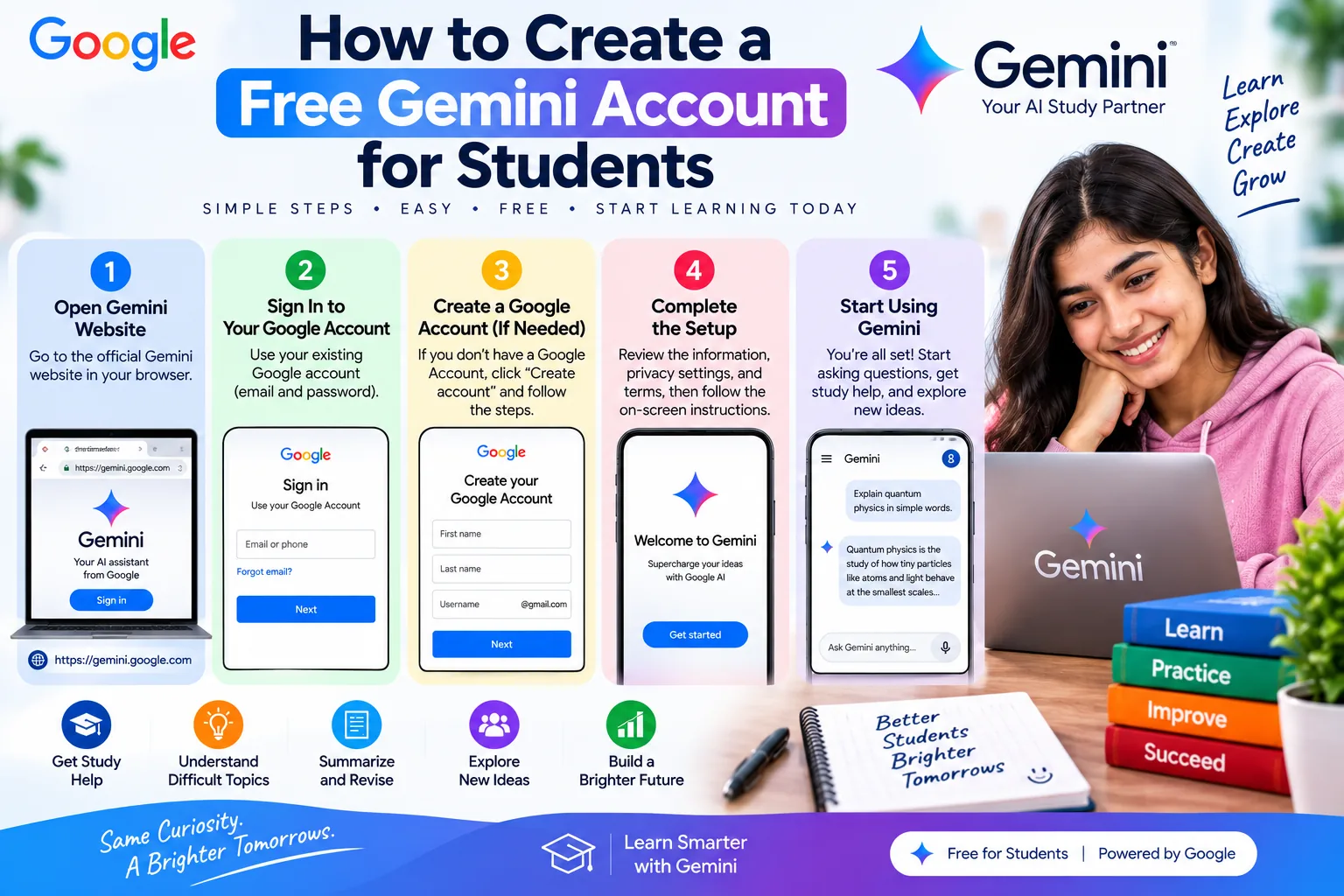
The easiest approach is to use Google’s official Gemini website. If you already have a Google Account, you can normally use those existing credentials rather than creating another account.
Step 1: Open Gemini for Your Free Student Account
First, open a web browser on your computer, tablet, or smartphone.
Then, visit Google’s official Gemini website. Avoid downloading Gemini from random websites because unofficial downloads can create unnecessary security risks.
Once the page opens, look for the option to Sign in.
tep 2: Sign In to Your Free Gemini Account
Next, click Sign in and enter the email address connected to your Google Account.
After that, enter your password if requested.
Furthermore, Google may ask you to complete an additional verification step depending on your account’s security settings.
Step 3: Create or Use Your Google Account for Gemini
If you already have a Google Account, you can continue using it.
However, if you don’t have one, you’ll first need to create a Google Account. Follow Google’s account-creation instructions and provide the requested information.
Once the account is ready, return to Gemini and sign in.
Step 4: Complete Your Free Gemini Account Setup
After signing in, Gemini may display information about its features, privacy, or terms. Read the information carefully and follow the on-screen instructions.
Depending on your location and account type, some features may not be available.
Therefore, don’t worry if your Gemini interface looks slightly different from another student’s screen.
Step 5: Start Using Your Free Gemini Account
Finally, you can start chatting with Gemini.
Type your question into the prompt box and submit it. For example:
Explain Newton’s laws of motion in simple language and give me three examples.
Gemini will generate a response, and you can continue asking questions.
As a result, you can turn a single question into a complete study session.
How to Use a Free Gemini Account for Students
After creating your account, the next step is learning how to use Gemini effectively. Fortunately, there are many ways students can use it without treating it as a replacement for their teachers or textbooks.
Ask Gemini to Explain Difficult Topics
If you don’t understand a topic, ask Gemini to explain it at your academic level.
For example:
Explain chemical bonding as if I am a beginner. Include simple examples and important points for an exam.
Moreover, you can request another explanation if the first one is too difficult.
Create Practice Questions
Practice is essential for exam preparation. Therefore, ask Gemini to create questions based on the topic you’re studying.
For example:
Create 10 physics questions about motion. Start with easy questions and gradually increase the difficulty. Don’t show the answers yet.
After solving them, you can ask Gemini to check your answers.
Create Revision Notes
Long chapters can be difficult to revise. Instead, provide your study material and ask Gemini to organize it into concise revision notes.
For example:
Turn these notes into short exam revision points. Keep important definitions, formulas, examples, and key concepts.
However, always compare the generated notes with your original material so that important information is not accidentally missed.
Prepare for Exams
Furthermore, Gemini can help you create a realistic study plan.
For example:
Create a 14-day study plan for my mathematics exam. I can study two hours each day and need extra practice in algebra and trigonometry.
You can then adjust the schedule according to your actual syllabus and available time.
Can You Use a School Email for Gemini?
Students sometimes wonder whether they should use a school or university email address when creating a Gemini account.
The answer can depend on how the educational institution manages Google Workspace and Gemini access.
Personal Google Account vs School Account
A personal Google Account and a school-managed account may have different features and restrictions.
For example, your school may control which AI services are available through its Google Workspace account. Therefore, if Gemini doesn’t work with your school account, this doesn’t necessarily mean that Gemini is unavailable to you.
In that situation, you can check your institution’s technology policy or use a personal Google Account where permitted.
Moreover, always follow your school’s rules regarding AI tools and academic work.
How to Get Gemini on Android
Students who prefer studying on a smartphone can use Gemini through supported Android options.
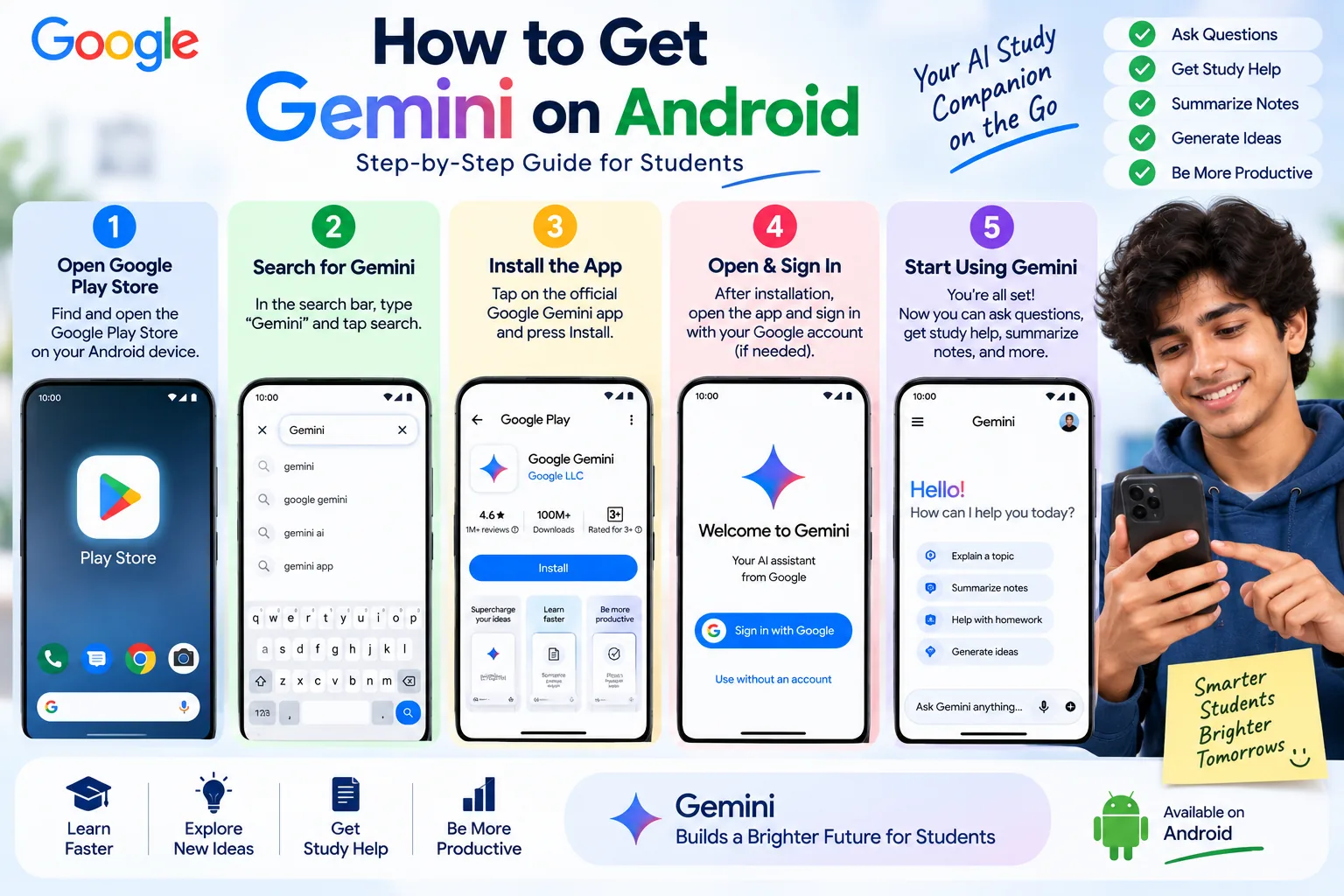
Install the Gemini App for Your Free Account
First, open the official Google Play Store on your Android device and search for Google’s Gemini application.
Before installing anything, check the developer information carefully. This helps you avoid unofficial applications that may use similar names.
Sign In to Your Free Gemini Account
After installation, open the application and sign in with your Google Account.
Next, follow any instructions displayed on the screen.
Once setup is complete, you can begin asking study questions from your phone.
Best Gemini Prompts for Students
A clear prompt can make your free Gemini account for students much more useful. Instead of asking a vague question, explain exactly what you want.
Mathematics Prompt
Explain this mathematics problem step by step. Identify the formula, substitute the values, show the calculation, and explain the final answer.
Physics Prompt
Explain this physics topic for a beginner. Include the definition, important formulas, units, one solved numerical example, and five practice questions.
Chemistry Prompt
Explain this chemistry chapter in simple language. Include important definitions, reactions, formulas, examples, and exam-style questions.
Computer Science Prompt
Explain this computer science topic for a beginner. Start with the basic concept, provide a simple example, explain common mistakes, and give me three practice questions.
Exam Revision Prompt
Create a revision plan for this chapter. Include important definitions, formulas, key concepts, practice questions, and a short self-test.
Is a Free Gemini Account Enough for Students?
For many students, a free Gemini account can be enough for everyday study assistance.
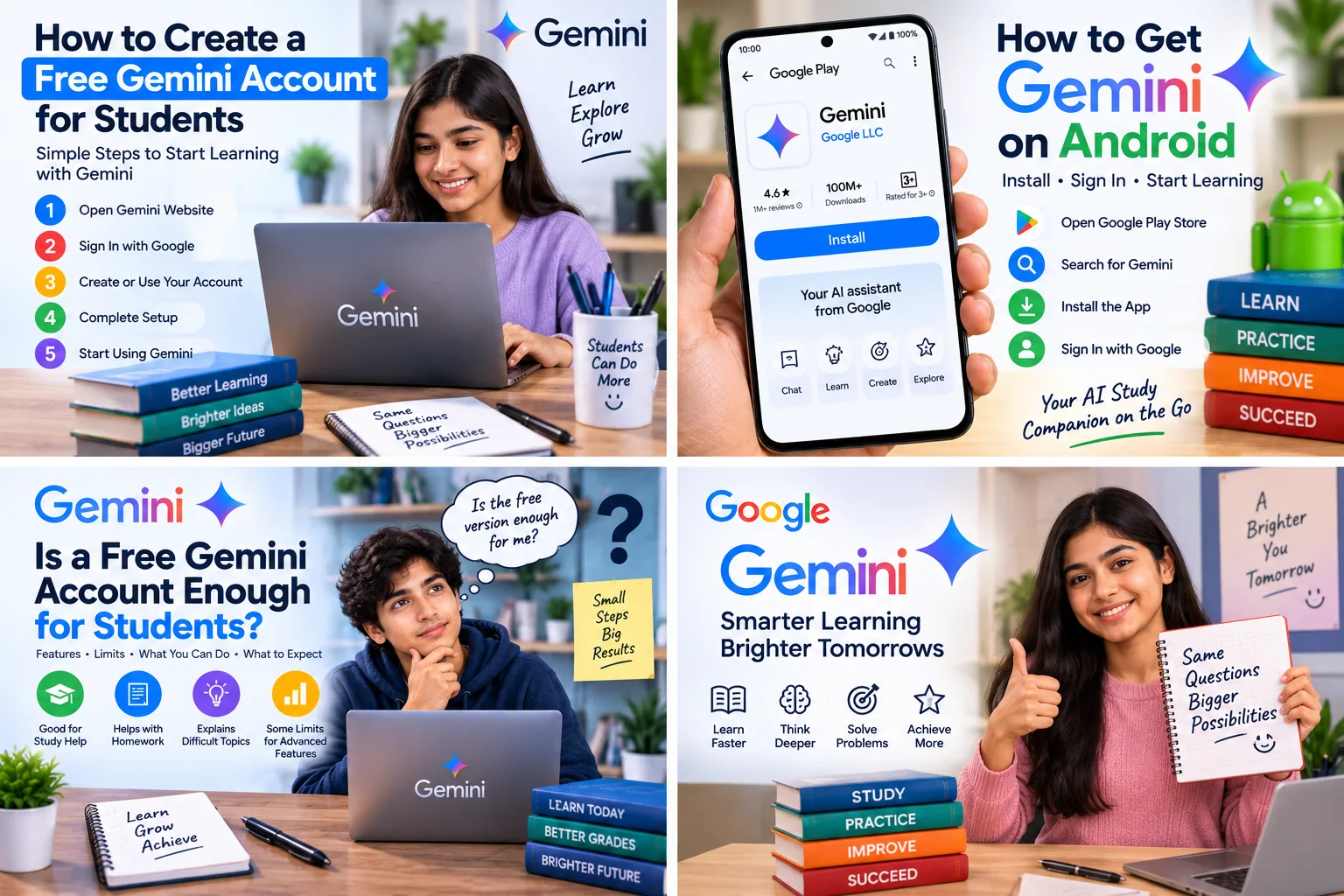
For example, you can use it to explain concepts, create practice questions, summarize notes, brainstorm ideas, and organize your revision.
However, some advanced features may require a paid Google AI plan or may have different usage limits.
Therefore, don’t purchase a subscription unless you actually need the additional features or higher limits.
Common Free Gemini Account Problems
Although creating an account is usually simple, students may occasionally experience problems.
Can’t Sign In to Your Gemini Account
First, check that you’re entering the correct Google Account credentials.
Next, make sure your internet connection is working. If the problem continues, check whether your Google Account has any security or access issues.
Free Gemini Account Is Not Available
Gemini features can vary by country, age, account type, and other eligibility requirements.
Therefore, if you cannot access a particular feature, check Google’s current availability information rather than downloading an unofficial version.
School Account Doesn’t Have Access
If you’re using a school-managed account, your institution may control access to certain Google services.
In this situation, contact your school’s IT administrator or check its technology guidelines.
Gemini Is Not Working Properly
If Gemini is slow or isn’t responding correctly, try refreshing the page or restarting the application.
Additionally, check your internet connection and make sure your browser or application is updated.
Tips for Using a Free Gemini Account Safely
Creating an account is only the first step. You should also use AI responsibly.
Don’t Share Sensitive Information
Never enter passwords, financial information, private identification details, or other sensitive information into your study prompts.
Instead, remove unnecessary personal information before sharing notes or documents.
Verify Important Information
Furthermore, AI can sometimes make mistakes. Therefore, verify important formulas, facts, dates, calculations, and references using your textbook, teacher’s notes, or reliable sources.
Don’t Copy Homework Without Understanding It
Gemini can help you understand a difficult assignment, but simply copying its response does not improve your knowledge.
Instead, ask for hints, explanations, examples, and feedback. Consequently, you can learn the process while completing the work yourself.
Follow Your School’s AI Policy
Finally, check your school’s or university’s rules regarding AI. Some institutions allow AI for learning and brainstorming but restrict its use in submitted assignments or examinations.
Therefore, always follow the academic rules that apply to you.
Free Gemini Account for Students: Frequently Asked Questions
Can I Create a Free Gemini Account as a Student?
Yes, students can use Gemini through a Google Account where the service is available. However, special student promotions and premium features may have separate eligibility requirements.
Do I need a student email address?
Not necessarily for basic Gemini access. A personal Google Account may be sufficient, although school-managed accounts can have different settings and restrictions.
Is Gemini free without a subscription?
Gemini has a free experience, while paid Google AI plans offer additional features and higher limits. The exact features available can change over time.
Can I use Gemini for exam preparation?
Yes. You can use Gemini to create revision plans, practice questions, flashcards, summaries, and explanations. Nevertheless, you should also study your official course material.
Can I use Gemini on my phone?
Yes, supported Gemini options can be used on compatible mobile devices. Availability may depend on your device, account, and location.
Is it safe to create a Gemini account?
Using Google’s official Gemini service is preferable to using unofficial websites or modified applications. Nevertheless, you should protect your Google Account and avoid sharing sensitive personal information.
Can Gemini do my homework for me?
Gemini can help explain homework questions and guide you through difficult problems. However, you should understand the work yourself and follow your school’s academic integrity rules.
If you are interested in earning online while studying, read our How to Start Freelancing: Complete Beginner’s Guide. If you enjoy Android games, check our TapTap Mobile Application: Complete Beginner’s Guide. For Android troubleshooting, read How to Fix Android Phone Overheating Issues. You can also learn how to safely Factory Reset an Android Phone. Finally, if you are interested in gaming technology, check our PlayStation 5 (PS5): Complete Beginner’s Guide.
Conclusion
Creating a free Gemini account for students is generally straightforward. If you already have a Google Account, you can use it to access Gemini where the service is available. Otherwise, you can create a Google Account first and then sign in.
Once your account is ready, Gemini can become a useful study assistant. You can use it to understand difficult topics, create practice questions, summarize notes, prepare revision plans, and improve your learning routine.
However, remember that AI is a tool rather than a replacement for your teacher or textbook. Moreover, Gemini can sometimes make mistakes, so important information should always be verified.
Finally, use your free Gemini account for students responsibly. Ask clear questions, practice problems yourself, protect your personal information, and follow your school’s AI policies. By doing so, you can use Gemini as a helpful addition to your studies without becoming dependent on it.

Gul Fahad is the founder of Readsinfo and a content creator focused on Artificial Intelligence, Technology, Online Earning, and Education. He shares practical guides, digital learning resources, and real-world insights to help readers develop valuable skills and stay updated with modern trends.