
How to Use FL Studio for Beginners: Step-by-Step Guide
Quick Start Learning how to use FL Studio may seem difficult at first. However, once you understand the basic tools and workflow, creating music becomes much easier. Whether you want to produce beats, record vocals, create background music, or compose complete songs, FL Studio provides everything you need in one powerful application. Moreover, you do…
Quick Start
Learning how to use FL Studio may seem difficult at first. However, once you understand the basic tools and workflow, creating music becomes much easier. Whether you want to produce beats, record vocals, create background music, or compose complete songs, FL Studio provides everything you need in one powerful application.
Moreover, you do not need to be a professional musician to get started. Many successful music producers began with little or no experience and gradually improved their skills through practice. Therefore, if you are new to music production, FL Studio is an excellent place to begin.
In this beginner-friendly guide, you will learn how to use FL Studio step by step. From downloading the software to creating your first beat and exporting your finished project, every section explains the process in simple language.
Table Briefing Section
| Section | Details |
|---|---|
| Quick Start | Beginner overview |
| Comparison | Compare FL Studio with other DAWs |
| What Is FL Studio? | Understanding the software |
| Why Learn FL Studio? | Benefits for beginners |
| Install | Download and setup |
| FL Studio Interface | Learn the workspace |
| Create Your First Beat | Beginner music production |
| Record Audio | Vocal and instrument recording |
| Export Music | Save your final project |
| Common Mistakes | Errors beginners should avoid |
| FAQ | Frequently asked questions |
| Conclusion | Final recommendations |
FL Studio Comparison
Before learning how to use FL Studio, it helps to understand how it compares with other popular music production software.
| Feature | FL Studio | Ableton Live | GarageBand |
|---|---|---|---|
| Beginner Friendly | ⭐⭐⭐⭐⭐ | ⭐⭐⭐⭐ | ⭐⭐⭐⭐⭐ |
| Beat Making | Excellent | Excellent | Good |
| Audio Recording | Excellent | Excellent | Good |
| Built-in Plugins | Excellent | Very Good | Good |
| MIDI Editing | Excellent | Excellent | Basic |
| Windows Support | Yes | Yes | No |
| macOS Support | Yes | Yes | Yes |
Overall, FL remains one of the best choices for beginners because it combines professional features with an easy-to-understand interface.
What Is FL Studio?
Understanding How to Use FL Studio
FL Studio is a professional Digital Audio Workstation (DAW) developed by Image-Line. It allows users to create, record, edit, mix, and export music using one complete software package.
Unlike basic audio editors, Studio combines multiple production tools into a single workspace. Consequently, users can produce complete songs without switching between different applications.
Furthermore, FL Studio supports virtual instruments, MIDI keyboards, audio recording, automation, sound effects, and professional mixing tools.
Why Beginners Choose FL Studio
Many beginners choose FL Studio because it offers a clean interface and a flexible workflow.
Moreover, users can drag and drop instruments, samples, and effects without complicated setup procedures. As a result, beginners spend less time learning menus and more time creating music.
In addition, FL includes dozens of built-in instruments and effects. Therefore, you can start producing music immediately without purchasing expensive plugins.
Who Should Learn How to Use FL Studio?
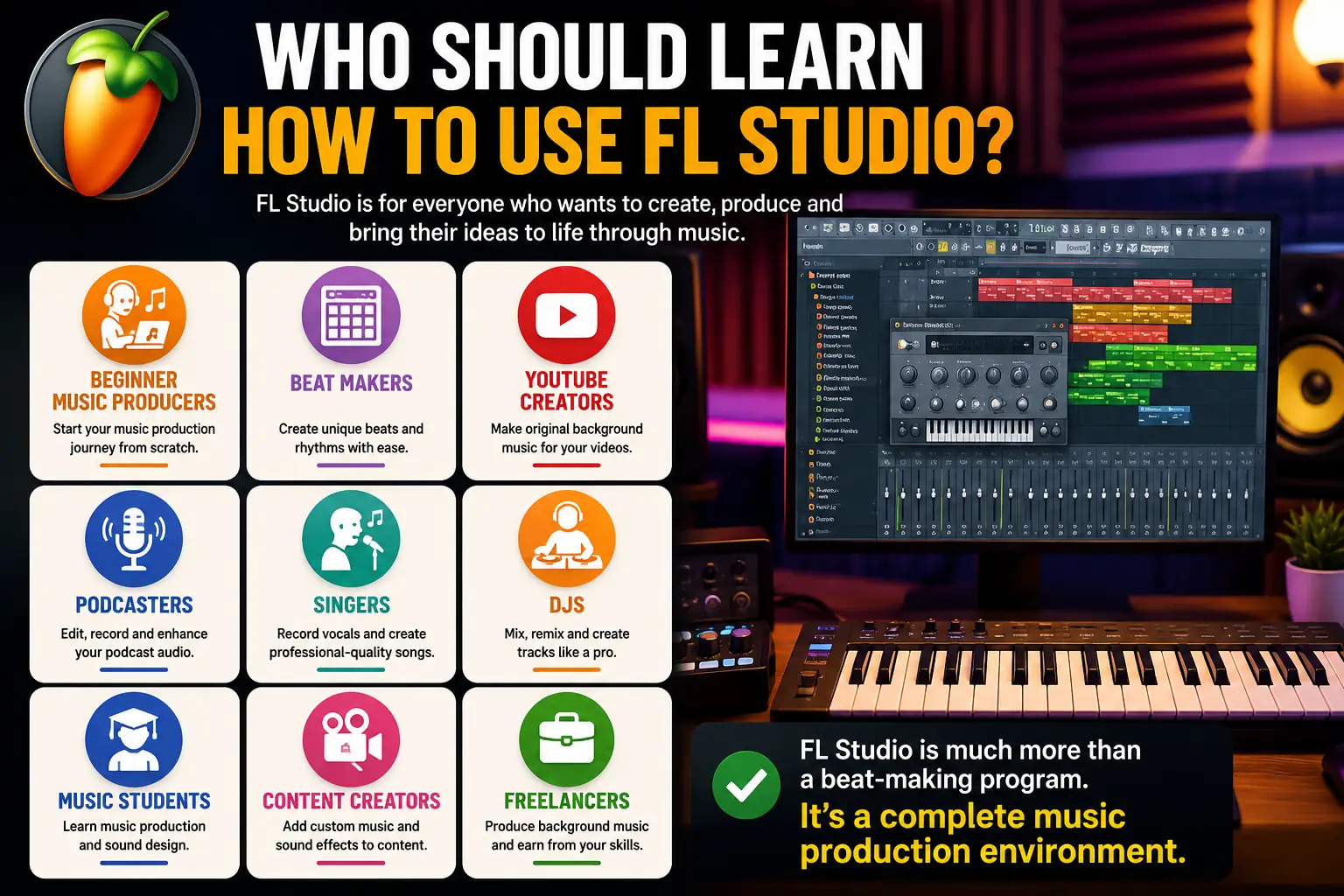
Learning how to use FL Studio is useful for many different creators.
This software is suitable for:
- Beginner music producers
- Beat makers
- YouTube creators
- Podcasters
- Singers
- DJs
- Music students
- Content creators
- Freelancers producing background music
Therefore, FL Studio is much more than a beat-making program. It is a complete music production environment.
Why Learn How to Use FL Studio?
Benefits of Learning How to Use FL Studio
There are many reasons why FL Studio has become one of the world’s most popular DAWs.
First, it allows beginners to learn gradually without feeling overwhelmed.
Moreover, the software receives regular updates that introduce new features and improve performance.
In addition, thousands of tutorials, forums, and online communities help beginners solve problems quickly.
Consequently, learning FL becomes much easier than learning software with limited educational resources.
Skills You Can Develop With FL Studio
Once you understand how to use FL Studio, you can develop valuable creative skills.
For example, you can learn to:
- Create original beats
- Compose melodies
- Record vocals
- Mix music professionally
- Edit podcasts
- Produce YouTube background music
- Design sound effects
- Export commercial-quality audio
Furthermore, these skills may help you build a freelance career or start producing music professionally.
How to Use FL Studio for Beginners
Download and Install FL Studio
The first step is downloading FL Studio from the official Image-Line website.
Always install the latest version because it contains important security updates, bug fixes, and new features.
Moreover, downloading from unofficial websites may expose your computer to malware or outdated software. Therefore, always use the official installer.
After downloading, run the installation wizard and follow the on-screen instructions.
Within a few minutes, Studio will be ready to use.
Choose the Right FL Studio Edition
FL Studio is available in several editions.
Each edition includes different features and plugins.
| Edition | Best For |
|---|---|
| Fruity Edition | Beat making |
| Producer Edition | Complete music production |
| Signature Bundle | Advanced producers |
| All Plugins Edition | Professional studios |
If you are learning how to use FL Studio for the first time, the Producer Edition is usually the best choice because it includes audio recording and essential production tools.
Check Your Computer Requirements
Before opening FL Studio, make sure your computer meets the recommended specifications.
For a smoother experience, consider the following:
- Windows 10/11 or macOS
- At least 8 GB RAM
- SSD storage for faster loading
- Stable internet connection for updates
- Good-quality headphones or speakers
Although FL Studio works on modest hardware, better specifications improve overall performance.
Consequently, projects load faster and playback remains smooth even as they become more complex.
Understand the FL Studio Interface
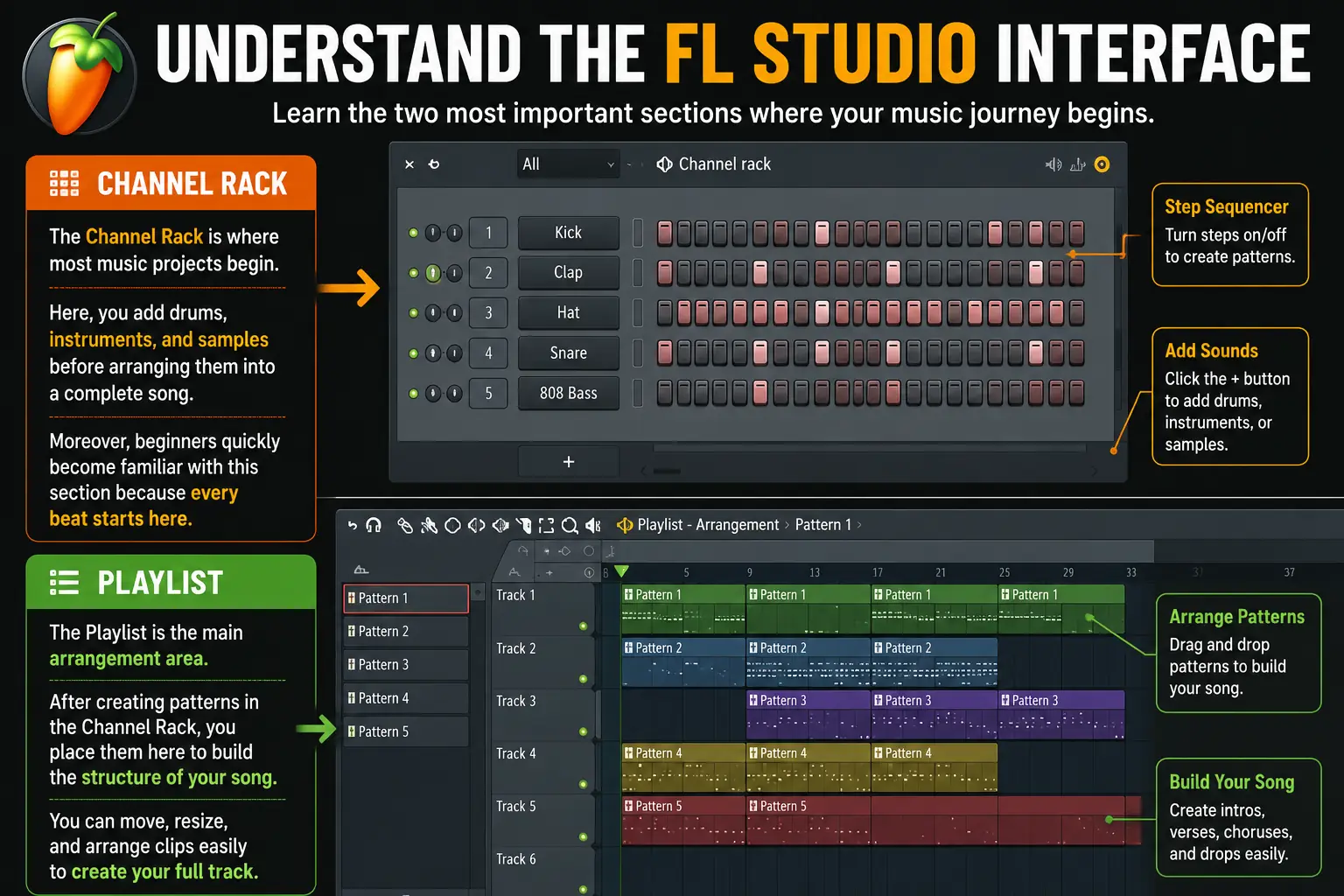
Channel Rack
The Channel Rack is where most music projects begin.
Here, you add drums, instruments, and samples before arranging them into a complete song.
Moreover, beginners quickly become familiar with this section because every beat starts here.
Playlist
The Playlist is the main arrangement area.
After creating patterns, you place them inside the Playlist to build the structure of your song.
Furthermore, you can move clips freely using simple drag-and-drop controls.
As a result, arranging music becomes much easier.
Piano Roll
The Piano Roll is one of FL Studio’s most powerful features.
It allows you to create melodies, basslines, drum rhythms, and chord progressions.
Moreover, every note can be edited individually.
Therefore, even beginners without piano experience can compose impressive melodies through practice.
Mixer
The Mixer controls volume, effects, and audio routing.
Each instrument can be assigned to its own Mixer track.
Consequently, you can adjust sound levels independently and create cleaner mixes.
Browser
The Browser stores your samples, presets, instruments, recordings, and project files.
Furthermore, organizing files inside the Browser saves time during music production.
Toolbar
The Toolbar provides quick access to important controls such as Play, Stop, Record, Tempo, Save, and Undo.
Instead of searching through menus repeatedly, beginners can perform common tasks directly from the Toolbar.
As a result, the overall workflow becomes faster and more efficient.
How to Use FL Studio to Create Your First Beat
Creating your first beat is one of the most exciting parts of learning how to use FL Studio. Fortunately, the software provides beginner-friendly tools that make the process simple and enjoyable.
Instead of trying to create a complete song immediately, start with a basic drum pattern. Once you understand the workflow, you can gradually add melodies, bass, and effects.
Create a New Project
Open FL Studio and click File > New to create a blank project.
Next, save your project before making any changes.
Moreover, giving each project a clear name makes it easier to organize your work later. As a result, you can quickly find previous projects whenever needed.
Set the Tempo (BPM)
Tempo determines how fast or slow your music will play.
Before creating any patterns, choose a BPM that matches your music style.
| Genre | Recommended BPM |
|---|---|
| Hip-Hop | 80–100 |
| Pop | 100–120 |
| House | 120–128 |
| EDM | 128–150 |
| Trap | 140–160 |
Furthermore, you can change the tempo at any stage of your project. Therefore, don’t worry if you want to experiment later.
Add Drum Sounds
The Channel Rack already includes basic drum samples.
Typically, you’ll see:
- Kick
- Clap
- Snare
- Hi-Hat
Click each step to activate drum sounds.
For example, place the kick on the first beat and the snare on the second and fourth beats.
Meanwhile, add hi-hats between the kicks to create a smoother rhythm.
Consequently, you’ll have a simple but professional drum pattern within minutes.
How to Use FL Studio Piano Roll
Open the Piano Roll
The Piano Roll is one of the most powerful features in FL Studio.
Right-click any instrument inside the Channel Rack and select Piano Roll.
Immediately, you’ll see a grid where musical notes can be placed.
Although the interface may look advanced initially, beginners usually become comfortable after a little practice.
Create Your First Melody
Start with a few simple notes instead of trying to compose a complicated melody.
Moreover, listening carefully after every adjustment helps you understand how different notes work together.
As a result, your melodies will improve naturally over time.
Edit Notes Easily
The Piano Roll allows you to edit every note individually.
You can:
- Move notes
- Resize notes
- Duplicate notes
- Delete notes
- Adjust note velocity
Therefore, correcting mistakes takes only a few seconds.
How to Use FL Studio Plugins
What Are Plugins?
Plugins are virtual instruments and effects that expand FL Studio’s capabilities.
Fortunately, FL Studio already includes many excellent plugins.
Therefore, beginners can create professional music without purchasing extra software.
Best Built-In Plugins for Beginners
Some useful built-in plugins include:
| Plugin | Purpose |
|---|---|
| FLEX | Modern instruments |
| FL Keys | Piano sounds |
| Sytrus | Synthesizer |
| GMS | Electronic sounds |
| Drumaxx | Drum creation |
Moreover, each plugin contains presets that help beginners start creating music immediately.
Add a Plugin
Click the + icon inside the Channel Rack.
Next, choose any available instrument.
Once selected, the plugin loads automatically.
Furthermore, you can replace instruments whenever you want without affecting the overall project.
How to Use FL Studio Mixer
Understand the Mixer
The Mixer controls how every instrument sounds inside your project.
Instead of adjusting everything together, each sound should have its own Mixer channel.
Consequently, balancing audio becomes much easier.
Assign Instruments to Mixer Tracks
Select an instrument inside the Channel Rack.
Then assign it to an empty Mixer insert.
For example:
- Kick → Insert 1
- Snare → Insert 2
- Piano → Insert 3
- Bass → Insert 4
As a result, every sound can receive its own effects and volume adjustments.
Balance the Volume
Many beginners make every instrument equally loud.
However, professional mixes require balance rather than maximum volume.
Therefore, lower unnecessary sounds and allow important instruments to stand out naturally.
Moreover, using proper volume levels reduces distortion.
How to Use FL Studio Effects
Add Reverb
Reverb creates the impression of space inside a recording.
Furthermore, it makes vocals and instruments sound more natural.
However, too much reverb can reduce clarity.
Therefore, apply it carefully.
Add Delay
Delay repeats sounds after a short period.
As a result, melodies become wider and more interesting.
Additionally, delay works especially well on vocals and lead instruments.
Use Equalization (EQ)
Equalization helps remove unnecessary frequencies.
For instance, reducing excessive low frequencies from melodies creates more space for the kick drum and bass.
Consequently, your overall mix sounds cleaner and more balanced.
How to Use FL studio for Recording Audio
Connect Your Microphone
If you plan to record vocals, connect your microphone before launching FL Studio.
Moreover, installing the correct audio driver improves recording quality and reduces latency.
Therefore, spending a few minutes on proper setup saves time later.
Choose the Recording Input
Open the Mixer and select an empty track.
Next, choose your microphone from the input menu.
Once selected, enable recording mode.
Afterward, FL Studio is ready to capture your voice or instrument.
Record Your First Vocal
Press the Record button and begin performing.
After recording, listen carefully to identify any mistakes.
Fortunately, FL Studio allows unlimited retakes.
Consequently, you can continue recording until you’re satisfied with the final result.
Common Mistakes When Learning How to Use FL studio
Everyone makes mistakes while learning how to use Studio. However, recognizing these common errors early can help you improve much faster.
Moreover, avoiding bad habits allows you to build a cleaner workflow from the beginning. As a result, your music projects become more organized and professional.
Trying to Learn Every Feature at Once
FL Studio includes hundreds of tools and settings.
Therefore, many beginners feel overwhelmed during their first few days.
Instead of exploring every feature immediately, focus on learning one tool at a time.
For example, start with the Channel Rack before moving to the Piano Roll and Mixer.
Consequently, learning becomes easier and less stressful.
Downloading Too Many Plugins
Many new producers believe more plugins automatically create better music.
However, FL already includes powerful built-in instruments and effects.
Therefore, spend time mastering FLEX, FL Keys, Sytrus, and other stock plugins before downloading third-party software.
As a result, you will understand sound design much better.
Ignoring Keyboard Shortcuts
Keyboard shortcuts can significantly improve your productivity while using FL Studio. Instead of performing every task with a mouse, you can complete many actions in just a few seconds.
Furthermore, experienced music producers rely heavily on keyboard shortcuts because they speed up the production process and create a smoother workflow. As a result, they spend more time making music and less time navigating menus.
For beginners, learning a few essential shortcuts is an easy way to work more efficiently. Although you do not need to memorize every shortcut immediately, practicing the most common ones every day will quickly become a habit.
Some useful FL Studio keyboard shortcuts include:
| Shortcut | Function |
|---|---|
| Ctrl + S | Save Project |
| Ctrl + Z | Undo |
| Ctrl + C | Copy |
| Ctrl + V | Paste |
| Spacebar | Play or Stop |
| Ctrl + B | Duplicate Pattern |
Learning these shortcuts saves time and makes music production much smoother.
Not Saving Projects Regularly
Imagine spending hours creating a beat only to lose everything because of a power failure.
Therefore, save your project frequently.
Moreover, enable automatic backups inside FL Studio settings.
Consequently, you can recover your work if something unexpected happens.
Using Too Many Effects
Reverb, delay, compression, and distortion are useful.
However, applying excessive effects often makes a song sound messy.
Instead, use effects only when they improve the mix.
As a result, your music will sound cleaner and more professional.write more with transtion words
Useful Tips To Master How To Use FL Studio Faster
Learning how to use FL Studio becomes much easier when you build good habits from the beginning. Although the software includes many advanced features, improving your workflow is more important than learning everything at once. Therefore, following these practical tips will help you gain confidence, work more efficiently, and produce better music over time.
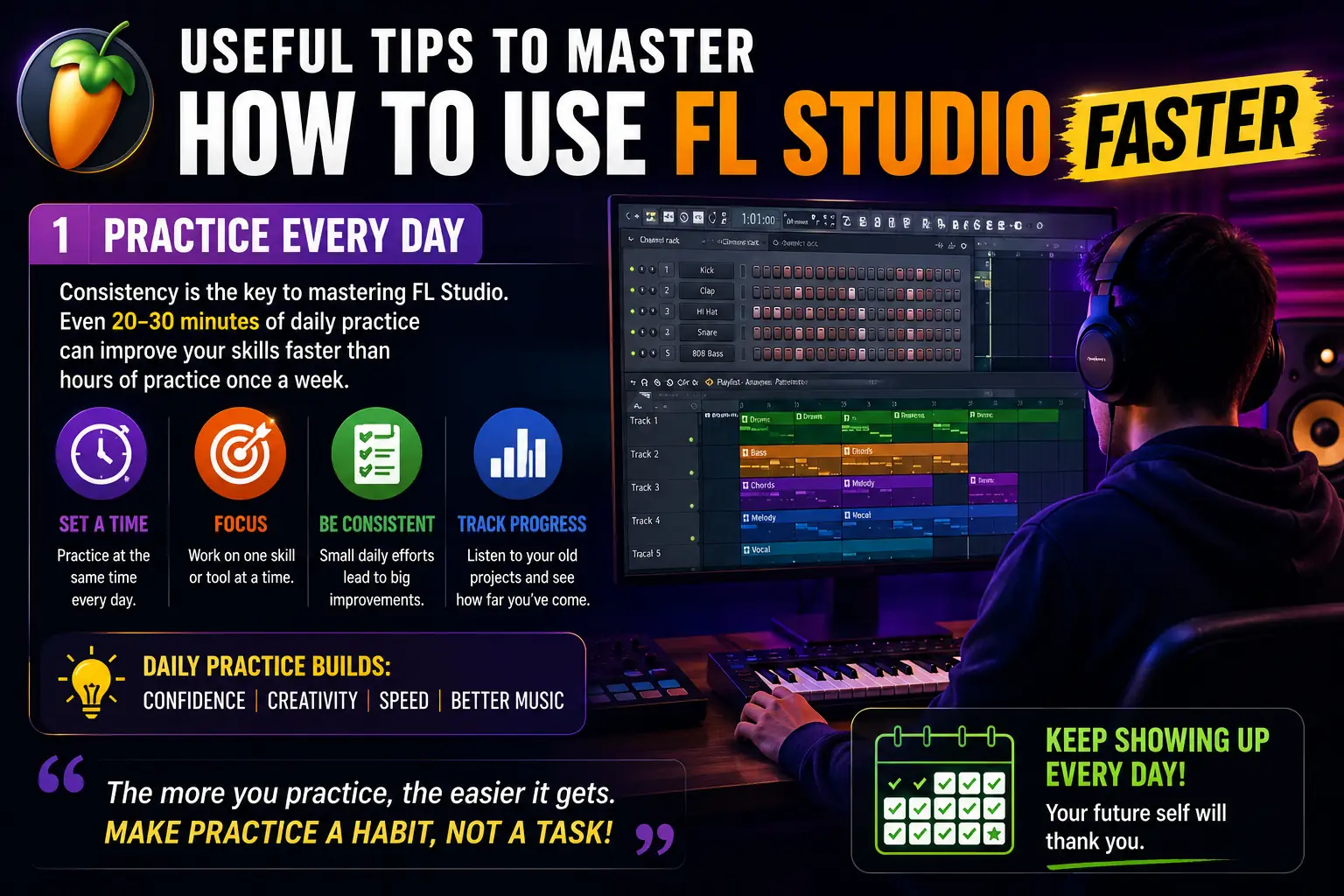
Practice Every Day
Consistency matters far more than long practice sessions.
Instead of producing music only once a week, try spending 20–30 minutes practicing every day. Even a short daily session helps reinforce what you learned previously and keeps your skills fresh.
Moreover, regular practice allows you to become familiar with the FL Studio interface much faster. As a result, common tasks such as creating drum patterns, editing melodies, and arranging tracks will eventually feel natural.
Furthermore, don’t worry if your first few projects are not perfect. Every practice session teaches you something new, whether it’s a keyboard shortcut, a mixing technique, or a creative idea. Consequently, your confidence and creativity will continue to grow with each completed project.
Finish Small Projects
Many beginners make the mistake of starting large music projects but never finishing them.
Instead, focus on creating short beats or simple songs before attempting full-length productions. This approach allows you to experience the complete music production process from start to finish.
Moreover, completing projects teaches valuable skills such as arranging music, mixing tracks, exporting audio, and solving creative problems. In contrast, unfinished projects often leave important lessons unexplored.
As a result, you’ll improve much faster because every completed project builds both experience and confidence. Eventually, you’ll feel ready to tackle larger and more complex productions.
Study Professional Music
Listening carefully to professionally produced songs is one of the fastest ways to improve your music production skills.
However, don’t just enjoy the music—analyze it like a producer. Pay close attention to how different elements work together.
Notice the following:
- Drum patterns
- Melody structure
- Bass placement
- Vocal arrangement
- Mixing style
- Song transitions
- Intro and outro design
- Use of sound effects
Furthermore, compare your own projects with professional tracks to identify areas that need improvement. Consequently, you’ll develop a better understanding of balance, rhythm, and overall song structure.
Over time, this habit will strengthen your musical ear and help you create more polished productions.
Organize Your Files
Keeping your files organized can save a significant amount of time during music production.
Instead of storing everything in one folder, create separate folders for:
- Projects
- Samples
- Plugins
- Exports
- Recordings
- Presets
- Backup Files
Moreover, use clear file names so you can quickly identify each project later. For example, include the project name and date instead of using generic names like “New Project 1.”
As a result, you’ll spend less time searching for files and more time making music. Furthermore, an organized workspace reduces confusion and makes collaboration much easier if you decide to work with other producers in the future. Ultimately, good file management is a simple habit that contributes to a faster and more professional workflow.
Frequently Asked Questions
Is FL Studio Good for Complete Beginners?
Yes. FL Studio is one of the most beginner-friendly digital audio workstations available today.
Moreover, its visual interface, drag-and-drop workflow, and built-in plugins make learning much easier.
Can I Learn How to Use Studio Without Music Theory?
Yes.
Although music theory helps, it is not required to begin.
Instead, start by creating simple beats and melodies.
As your experience grows, learning basic chords and scales will naturally improve your music.
Which Studio Edition Should Beginners Buy?
The Producer Edition is usually the best option.
It includes audio recording, Playlist features, and essential plugins needed for complete music production.
Therefore, most beginners do not need the more expensive editions immediately.
How Long Does It Take to Learn How to Use FL?
Most beginners understand the basic workflow within two to four weeks of regular practice.
However, mastering FL Studio takes continuous learning and practical experience.
Consequently, patience and consistency are essential.
Can I Use Studio on a Low-End PC?
Yes.
FL Studio runs on many entry-level computers.
However, an SSD, at least 8 GB RAM, and a modern processor improve performance significantly.
Is FL Studio Better Than Ableton Live for Beginners?
Both programs are excellent.
However, many beginners find FL Studio easier because of its visual interface, Piano Roll, and straightforward workflow.
Therefore, FL Studio is often recommended as a first DAW.
Conclusion
Learning how to use FL Studio is one of the best ways to begin your music production journey. Although the software may look complex at first, understanding its core tools step by step makes the learning process much easier.
Start by installing FL Studio correctly, then explore the Channel Rack, Playlist, Piano Roll, Mixer, and built-in plugins. Moreover, practice regularly instead of trying to master every feature in a single day.
Furthermore, avoid common beginner mistakes, keep your projects organized, and complete small music projects to build confidence. Over time, these habits will improve both your workflow and production quality.
Ultimately, the best way to master how to use Studio is through consistent practice. Every project teaches something new, and with patience, you can create professional-quality music using one of the world’s most popular digital audio workstations.
Related Articles
Helpful Resources
- Image-Line Official Website
- FL Studio User Manual
- Image-Line Support Center
- ASIO4ALL Official Website
- Splice
Disclaimer
This guide is intended for educational purposes only. Features, plugins, and interface layouts may vary depending on your FL Studio version and operating system. Always download FL from the official Image-Line website and use licensed software to receive updates, technical support, and the latest features.

Gul Fahad is the founder of Readsinfo and a content creator focused on Artificial Intelligence, Technology, Online Earning, and Education. He shares practical guides, digital learning resources, and real-world insights to help readers develop valuable skills and stay updated with modern trends.






Hey plz give me ps5
@justzurraizzzz
xx.yahya_ (Instagram)
03292241017(whatsapp)
Karachi, Pakistan
Date: 6/7/2026
Day: Monday
03350555645
6/07/2026
Muhammad Taqi
This answered my questions. Also recommend Pixwit: for avatar + video workflows.. Pixwit
Good read! Sharing The Choicer Voicer () — handy for quick voice/music games.. The Choicer Voicer
Appreciate the depth in this piece. For speaker labels, timestamps and TXT/SRT/VTT export, see Gem Transcribe at . Gem Transcribe