How to Remove Mobile Screen Scratches at Home: Complete Guide
Quick Overview Remove mobile scratches at home with simple and affordable techniques that can reduce the appearance of minor screen marks. Deep scratches often need professional repair, but proper cleaning methods and safe household items can improve light surface scratches. In this guide, you’ll learn practical scratch-removal methods, important safety precautions, and effective ways to…
Quick Overview
Remove mobile scratches at home with simple and affordable techniques that can reduce the appearance of minor screen marks. Deep scratches often need professional repair, but proper cleaning methods and safe household items can improve light surface scratches.
In this guide, you’ll learn practical scratch-removal methods, important safety precautions, and effective ways to keep your phone screen clean and clear. You’ll also discover which DIY solutions work best and which methods you should avoid.
Table Briefing Section
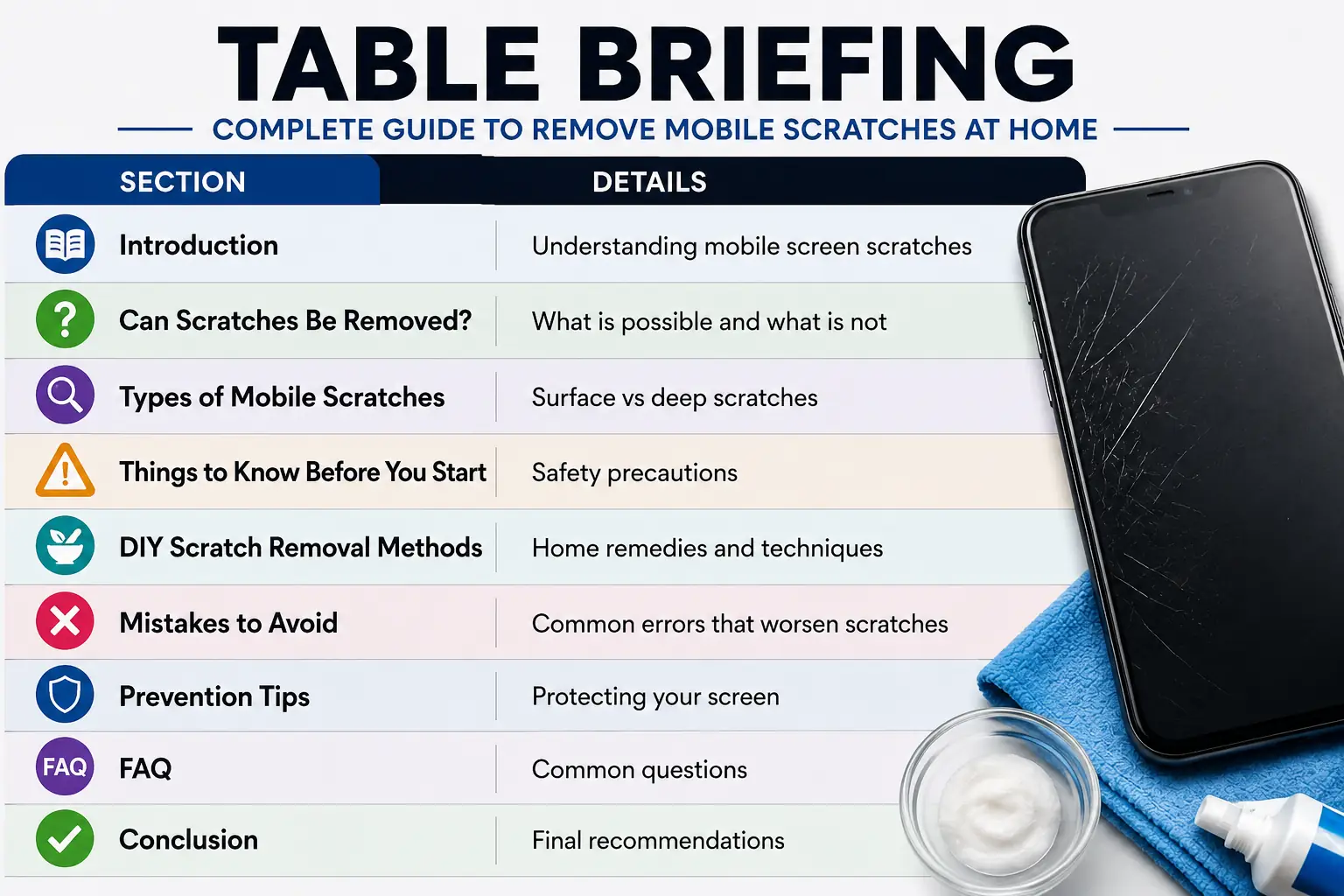
| Section | Details |
|---|---|
| Introduction | Understanding mobile screen scratches |
| Can Scratches Be Removed? | What is possible and what is not |
| Types of Mobile Scratches | Surface vs deep scratches |
| Things to Know Before You Start | Safety precautions |
| DIY Scratch Removal Methods | Home remedies and techniques |
| Mistakes to Avoid | Common errors that worsen scratches |
| Prevention Tips | Protecting your screen |
| FAQ | Common questions |
| Conclusion | Final recommendations |
Contents
- Introduction
- Can Mobile Scratches Be Removed Completely?
- Types of Mobile Screen Scratches
- Things to Know Before You Start
- How to Remove Mobile Scratches at Home
- ## Mistakes That Can Worsen Mobile Screen Scratches
- Conclusion
- FAQ
If you want to remove mobile scratches at home, the good news is that simple methods can often reduce the appearance of light surface marks. However, the results depend on the type and depth of the scratch.
Not every internet remedy is safe. Some methods may damage your screen further. Therefore, you should understand which techniques are worth trying and which ones you should avoid.
Modern smartphones use durable glass protection, but no screen is completely scratch-proof. Learning safe scratch-removal techniques can improve your phone’s appearance without expensive repairs.
Understanding Scratch Depth
Not all scratches are the same. Some affect only the outer surface of the screen, while others extend deeper into the glass.
The possibility of repair largely depends on scratch depth. Light surface scratches are much easier to improve than deep grooves that users can feel with a fingernail.
Surface-Level Scratches
Surface scratches usually appear as thin marks under bright light. Dust particles, keys, coins, and daily use commonly cause these scratches.
In many cases, these scratches respond well to home treatment. Although they may not disappear completely, simple methods can significantly reduce their appearance.
Deep Scratches
Deep scratches extend further into the screen material and often remain visible from multiple angles. Users can sometimes feel these scratches while touching the display.
Unfortunately, home remedies rarely improve deep scratches. In such situations, professional screen repair or replacement often provides the best solution.
Hairline Scratches
Hairline scratches are extremely thin and shallow marks that appear after normal daily use.
Many users only notice them under direct light. Fortunately, these scratches usually respond well to cleaning and gentle polishing methods.
Moderate Scratches
Moderate scratches are more noticeable and may affect the display’s appearance.
Although some DIY methods can improve them, complete removal is uncommon. For this reason, users should maintain realistic expectations.
Deep Visible Scratches
Sharp objects and accidental impacts usually cause deep scratches.
Unlike minor scratches, deep marks often remain visible despite multiple cleaning attempts. Therefore, preventing further damage becomes the most practical approach.
Clean the Screen First
Before attempting any scratch-removal method, clean the phone screen thoroughly with a microfiber cloth.
Removing dust and dirt prevents additional scratches during the process. In addition, a clean surface helps you evaluate the actual severity of the damage more accurately.
Test Any Method Carefully
Always test a method on a small area before applying it across the entire screen.
Too much pressure can cause additional damage. For best results, use gentle movements throughout the process.
Understand the Risks
Many online scratch-removal tips promise dramatic results. However, some techniques may remove protective coatings from modern smartphone screens.
Because of this risk, users should proceed carefully and avoid aggressive polishing methods that may create larger problems.
Remove Mobile Scratches at Home Using a Microfiber Cloth
Before trying any household remedy, start with the safest method. A high-quality microfiber cloth can reduce the appearance of very light scratches by removing dirt, oils, and residue from the screen surface.
Dust often accumulates inside scratches and makes them appear worse. As a result, proper cleaning may improve the screen’s appearance immediately.
Use gentle circular motions and avoid excessive pressure. This approach helps clean the display without creating additional marks.
Remove Mobile Scratches at Home Using Toothpaste
Remove Mobile Scratches at Home Using Toothpaste
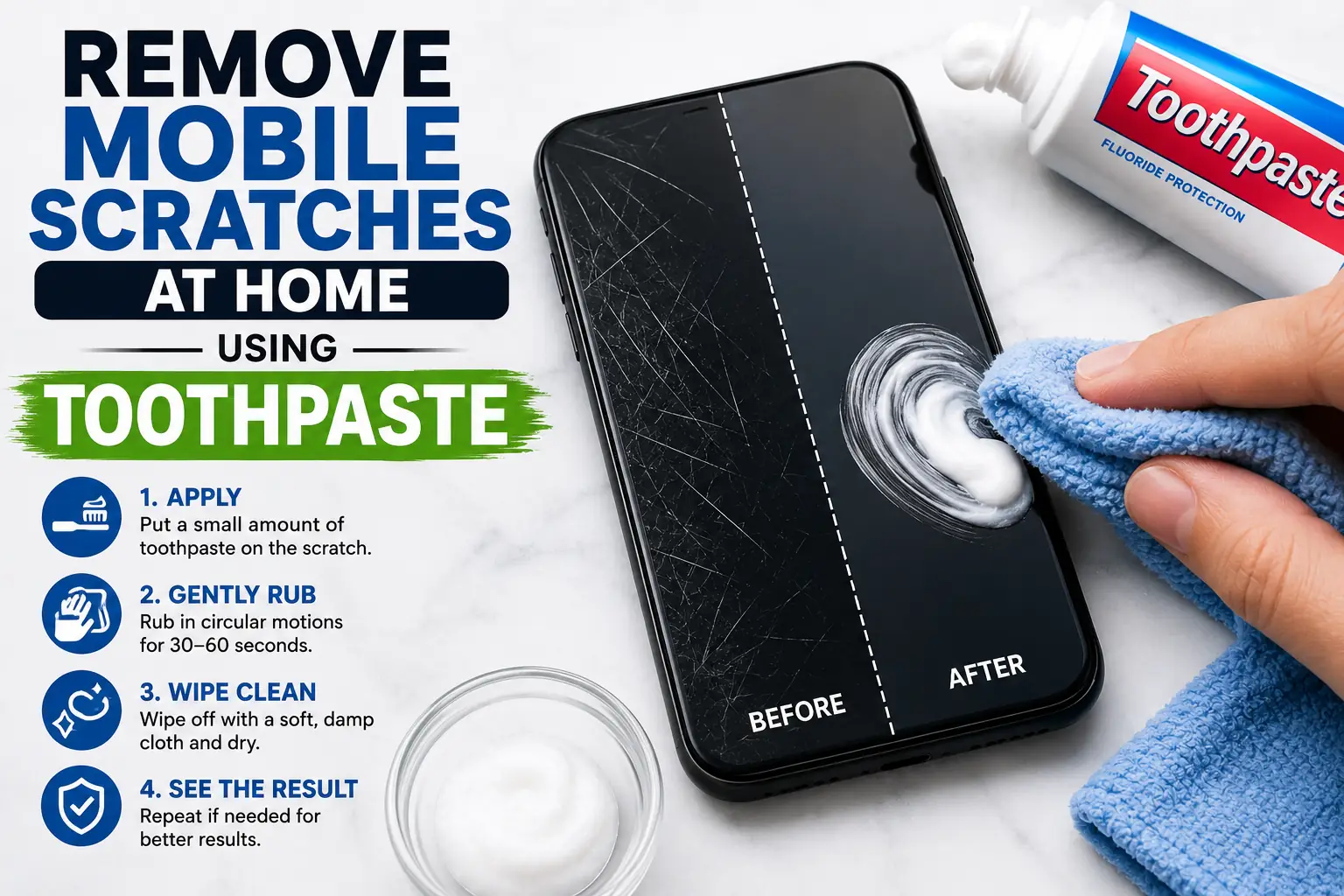
Toothpaste is one of the most popular home remedies for minor scratches. However, use non-gel toothpaste because gel-based products are generally ineffective for this purpose.
Apply a very small amount to a soft microfiber cloth. Then gently rub the scratched area in circular motions for a few seconds.
Afterward, wipe the screen with a clean, damp cloth. Although this method may reduce tiny surface scratches, avoid using it repeatedly because it can wear down protective coatings.
Remove Mobile Scratches at Home Using Baking Soda
Baking soda is another commonly recommended option for light scratches.
Mix two parts baking soda with one part water to create a smooth paste. Next, apply a small amount to a soft microfiber cloth and gently rub the affected area.
Avoid excessive pressure because baking soda has mild abrasive properties. Otherwise, overuse may create additional micro-scratches instead of improving the screen.
Remove Mobile Scratches at Home Using Coconut Oil
Coconut oil does not actually remove scratches. However, it can temporarily reduce their visibility.
Place a tiny drop of coconut oil on the scratch and gently spread it across the area with a microfiber cloth.
The scratch may appear less noticeable because the oil temporarily fills the tiny gap. Keep in mind that this effect is only cosmetic and usually disappears after cleaning the screen.
Remove Mobile Scratches at Home Using Screen Polishing Products
Some products are specifically designed to polish glass surfaces and reduce the appearance of minor scratches.
Before applying any product, read the instructions carefully. In addition, check whether the polishing compound is suitable for smartphone screens.
Always verify compatibility with modern screen coatings before using any commercial scratch-removal product.
Mistakes That Can Worsen Mobile Screen Scratches
Applying Too Much Pressure
Many people believe stronger pressure produces better results. Unfortunately, this approach often creates additional damage.
Excessive rubbing can remove protective coatings from the screen surface. Therefore, use gentle movements throughout the process.
Harsh Chemicals Can Increase Mobile Screen Scratches
Some online guides recommend strong cleaning chemicals that may damage smartphone displays.
Chemicals such as bleach, acetone, and industrial cleaners can permanently affect screen coatings and display quality.
For this reason, use only screen-safe cleaning products.
Trying Multiple Methods Repeatedly to Remove Mobile Scratches at Home
Some users try several methods one after another when they do not see immediate results.
However, repeated polishing increases the risk of damaging the screen. Therefore, limit experimentation and maintain realistic expectations.
How to Prevent Mobile Screen Scratches
Protect Mobile Screens From Future Scratches
A tempered glass protector provides an additional layer of protection against everyday scratches.
Replacing a screen protector costs much less than repairing a damaged display. As a result, it remains one of the most effective preventive measures.
Keep Your Phone Away from Sharp Objects
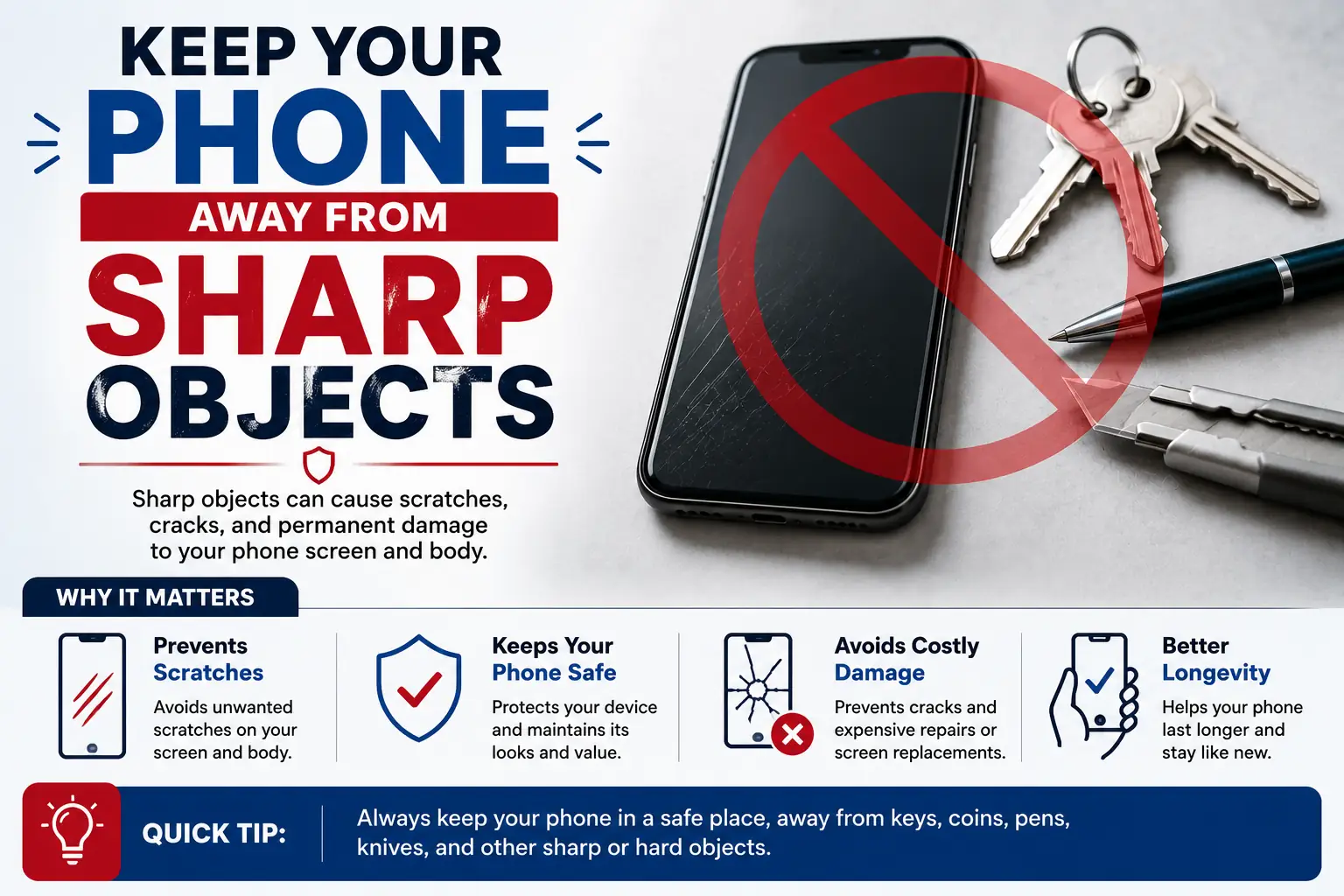
Keep Your Phone Away from Sharp Objects
Keys, coins, and other metal objects commonly cause screen scratches.
Keeping your phone in a separate pocket can significantly reduce the risk of damage and help maintain its appearance.
Use a Protective Phone Case
A quality phone case absorbs impacts and reduces the risk of screen damage during accidental drops.
In addition, raised edges provide extra protection when you place the phone face-down on hard surfaces.
When Home Methods Cannot Remove Mobile Scratches
Deep Mobile Screen Scratches Need Professional Repair
If scratches interfere with viewing content or using the touchscreen, you may need professional repair.
Deep scratches often collect dust and debris over time. As a result, they become more noticeable and harder to ignore.
Screen Cracks vs Mobile Screen Scratches
Some users mistake small cracks for scratches.
Unlike scratches, cracks can spread across the screen and eventually affect device functionality. Therefore, professional attention is often necessary.
Screen Coating Damage After Scratch Removal Attempts
Repeated cleaning attempts may cause discoloration or uneven reflections on the screen.
If this happens, the screen coating may have suffered damage. In such cases, seek professional advice before trying additional repair methods.
Conclusion for Remove Mobile Scratches at Home
Many users want to remove mobile scratches at home without spending money on expensive repairs. Fortunately, safe cleaning techniques and simple household items can sometimes reduce the appearance of light surface scratches.
Deep scratches rarely disappear through DIY methods. Therefore, understanding the limitations of home remedies is essential before attempting any repair.
Prevention remains the most effective solution. A screen protector, a protective case, and proper cleaning habits can keep your smartphone display in excellent condition for years.
Related Articles
SSD vs HDD: Which Storage Option Is Right for You?
How to Speed Up a Slow PC Without Software
Artificial Intelligence Articles
## External Resources
Frequently Asked Questions
Can I Completely Remove Mobile Scratches at Home?
You can often reduce the appearance of light surface scratches at home. However, deep scratches usually require professional repair because DIY methods rarely remove them completely.
Is Toothpaste Safe for Removing Mobile Scratches at Home?
Non-gel toothpaste may help reduce very minor scratches. However, use it carefully because excessive rubbing can damage screen coatings.
Does Coconut Oil Remove Mobile Scratches at Home?
No. Coconut oil does not permanently remove scratches. Instead, it temporarily hides minor marks by filling small surface imperfections.
Can Baking Soda Damage a Phone Screen During Scratch Removal?
Yes. Excessive use or aggressive rubbing can create additional micro-scratches. For this reason, apply baking soda carefully and avoid strong pressure.
What Is the Safest Way to Remove Mobile Scratches at Home?
Start by cleaning the screen with a microfiber cloth. You can also use a quality screen protector to reduce the visibility of minor scratches and protect the display from future damage.
Disclaimer for Remove Mobile Scratches at Home
This article covers methods intended for minor surface scratches only. Results vary based on the type, location, and depth of the scratch. Deep scratches, cracks, and serious screen damage often require professional repair or screen replacement. Before treating your device, test any method on a small area and proceed carefully.

Gul Fahad is the founder of Readsinfo and a content creator focused on Artificial Intelligence, Technology, Online Earning, and Education. He shares practical guides, digital learning resources, and real-world insights to help readers develop valuable skills and stay updated with modern trends.