
Nokia Secret Codes Explained: Hidden Features & Useful Functions
Overview on Nokia Secret Codes Nokia Secret Codes help users access hidden features, device information, network settings, and diagnostic tools on supported Nokia phones. Moreover, these special commands can save time by providing quick access to important details without navigating through multiple menus. In this guide, you will discover useful Nokia Secret Codes, learn what…
Overview on Nokia Secret Codes
Nokia Secret Codes help users access hidden features, device information, network settings, and diagnostic tools on supported Nokia phones. Moreover, these special commands can save time by providing quick access to important details without navigating through multiple menus. In this guide, you will discover useful Nokia Secret Codes, learn what each code does, and understand how to use them safely.
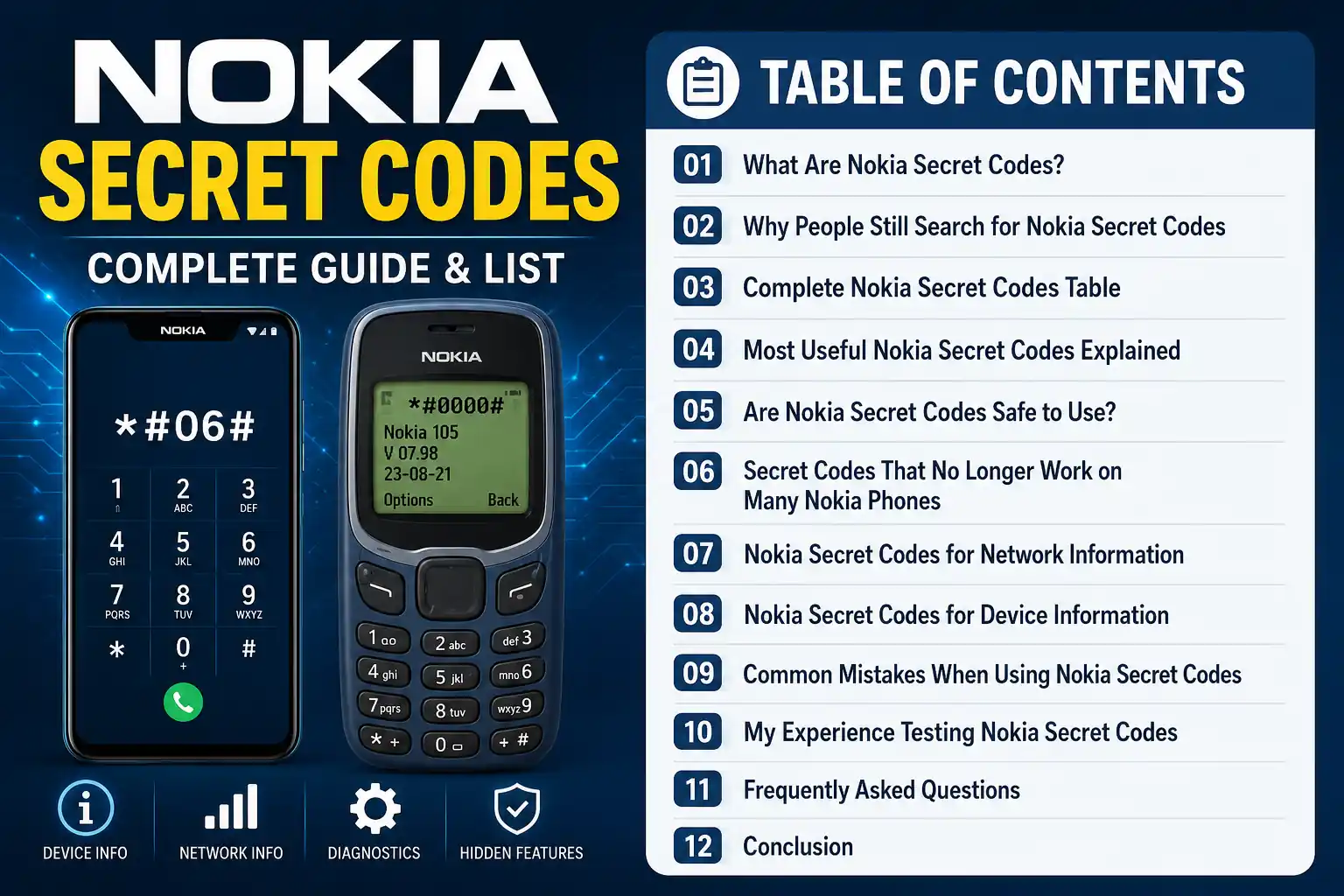
Table of Contents for Nokia Secret Codes
- What Are Nokia Secret Codes?
- Why People Still Search for Nokia Secret Codes
- Complete Nokia Secret Codes Table
- Most Useful Nokia Secret Codes Explained
- Are Nokia Secret Codes Safe to Use?
- Secret Codes That No Longer Work on Many Nokia Phones
- Nokia Secret Codes for Network Information
- Nokia Secret Codes for Device Information
- Common Mistakes When Using Nokia Secret Codes
- My Experience Testing Nokia Secret Codes
- Frequently Asked Questions
- Conclusion
- Related Resources
- About the Author
- Disclaimer
Introduction
Have you ever wondered whether your Nokia phone hides features that most users never discover? Surprisingly, many Nokia devices include built-in commands that reveal important phone information, run diagnostic tests, and display system details. Users commonly call these commands Nokia Secret Codes, and millions of Nokia owners have used them for years to explore hidden functions and troubleshoot common issues.
For a long time, Nokia phones earned a reputation for durability, reliability, and ease of use. However, beyond their simple appearance, many models included hidden functions designed for technicians and advanced users. These features allowed users to check software information, test hardware components, and troubleshoot common issues without installing additional tools.
Moreover, Nokia Secret Codes can provide quick access to useful details such as firmware versions, network status, battery information, and device identification numbers. Because of this, many users still search for these codes when they want to learn more about their phones or diagnose minor problems.
Whether you own a classic Nokia feature phone or a modern Nokia smartphone, these hidden commands can help you access useful information quickly. Therefore, this guide introduces the most important Nokia Secret Codes, explains the purpose of each code, and shows you how to use them responsibly. In addition, you will learn which codes still work on newer devices and which codes mainly served older Nokia models.
Why People Still Search For Nokia Secret Codes
Although smartphone technology has changed significantly over the years, Nokia Secret Codes continue to attract attention. Many users search for these codes because they provide quick access to information without forcing users to navigate through multiple settings menus.
For example, some codes instantly display the phone’s software version, while others reveal network details or device identification information. As a result, these shortcuts save time and simplify troubleshooting.
In addition, mobile technicians use secret codes to verify device information before they repair phones. Likewise, regular users use these codes to check phone functions or gather technical details before purchasing a used device.
Many Nokia fans also enjoy exploring hidden features and learning how their devices operate. Therefore, Nokia Secret Codes remain one of the most searched topics among users of both classic and modern Nokia phones.
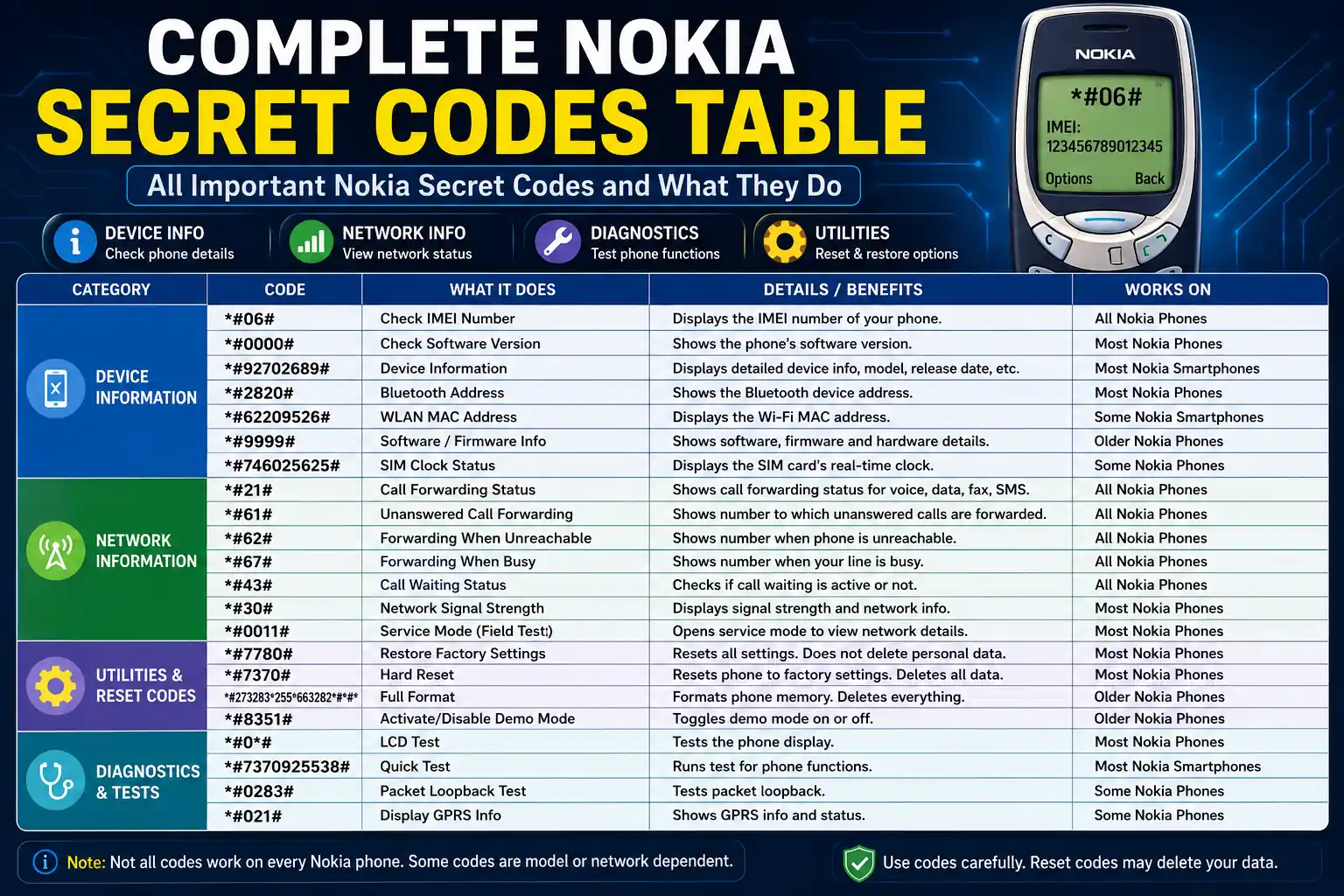
Complete Nokia Secret Codes Table
The following table lists some of the most commonly known Nokia Codes. However, not every code works on every model. Furthermore, older Nokia devices support some codes, while newer models may not support them.
| Secret Code | Function |
|---|---|
| *#06# | Display IMEI number |
| *#0000# | Show software version |
| *#92702689# | Display warranty and device information |
| *#2820# | Show Bluetooth device address |
| *#746025625# | Check SIM clock status |
| *#7780# | Restore factory settings |
| *#7370# | Perform hard reset (supported models only) |
| *#43# | Check call waiting status |
| *#61# | View unanswered call forwarding number |
| *#62# | Check call forwarding when unreachable |
| *#67# | Check forwarding when busy |
| *#21# | Display call forwarding status |
| *#30# | Check caller ID status |
| *#31# | Check outgoing caller ID settings |
| *#33# | View call barring status |
| *#35# | Check outgoing call barring |
| #4310# | Activate call waiting (carrier dependent) |
| *#2640# | Display security-related information |
| *#67705646# | Remove operator logo on some older models |
| *#73# | Reset timers and game scores on supported devices |
| *#2820# | Bluetooth MAC address information |
| *#9999# | Software information on certain legacy models |
| *#3283# | Manufacturing date on selected devices |
| *#7760# | Production serial information |
| *#92702689# | Service menu access on older Nokia phones |
| *#62209526# | Display WLAN MAC address on supported devices |
| *#7328748263373738# | Reset security code on specific legacy models |
| *#7370925538# | Wallet reset on supported devices |
| *#92702689# | Life timer information |
| *#0000# | Firmware details |
| *#06# | Device identification number |
| *#21# | Call forwarding details |
| *#43# | Call waiting information |
| *#61# | Missed call forwarding settings |
| *#62# | Network forwarding information |
| *#67# | Busy call forwarding settings |
| *#33# | Call restriction details |
| *#35# | Outgoing call restriction status |
| *#30# | Caller identification settings |
| *#31# | Outgoing caller ID configuration |
Most Useful Nokia Secret Codes Explained
Although dozens of Nokia Secret Codes exist, most users rely on only a handful of them. Therefore, learning these important codes can help you get more value from your device.
*#06# – Check Your IMEI Number
Millions of mobile users rely on this code every day. When you enter it, your phone instantly displays the IMEI number. You can use this unique identifier to verify device ownership, check warranty details, or report a lost phone.
*#0000# – View Software Version
This code helps you identify the firmware version on your Nokia device. It displays software details that can help you troubleshoot problems or confirm update information.
*#92702689# – Access Device Information
Many Nokia users know this command as the Nokia service menu. It provides useful details such as the device life timer, manufacturing information, and service-related data on supported models.
*#7780# – Restore Factory Settings
This code returns many phone settings to their original values without removing all personal files. However, always back up important data before you make any changes.
*#7370# – Hard Reset
This code performs a deeper reset on supported Nokia devices. Because it can remove stored information, create a backup before you use it and only run it when necessary.
Are Nokia Secret Codes Safe To Use?
Most informational Nokia Secret Codes are safe to use. These codes allow you to view software versions, IMEI numbers, network details, and Bluetooth information without changing phone settings.
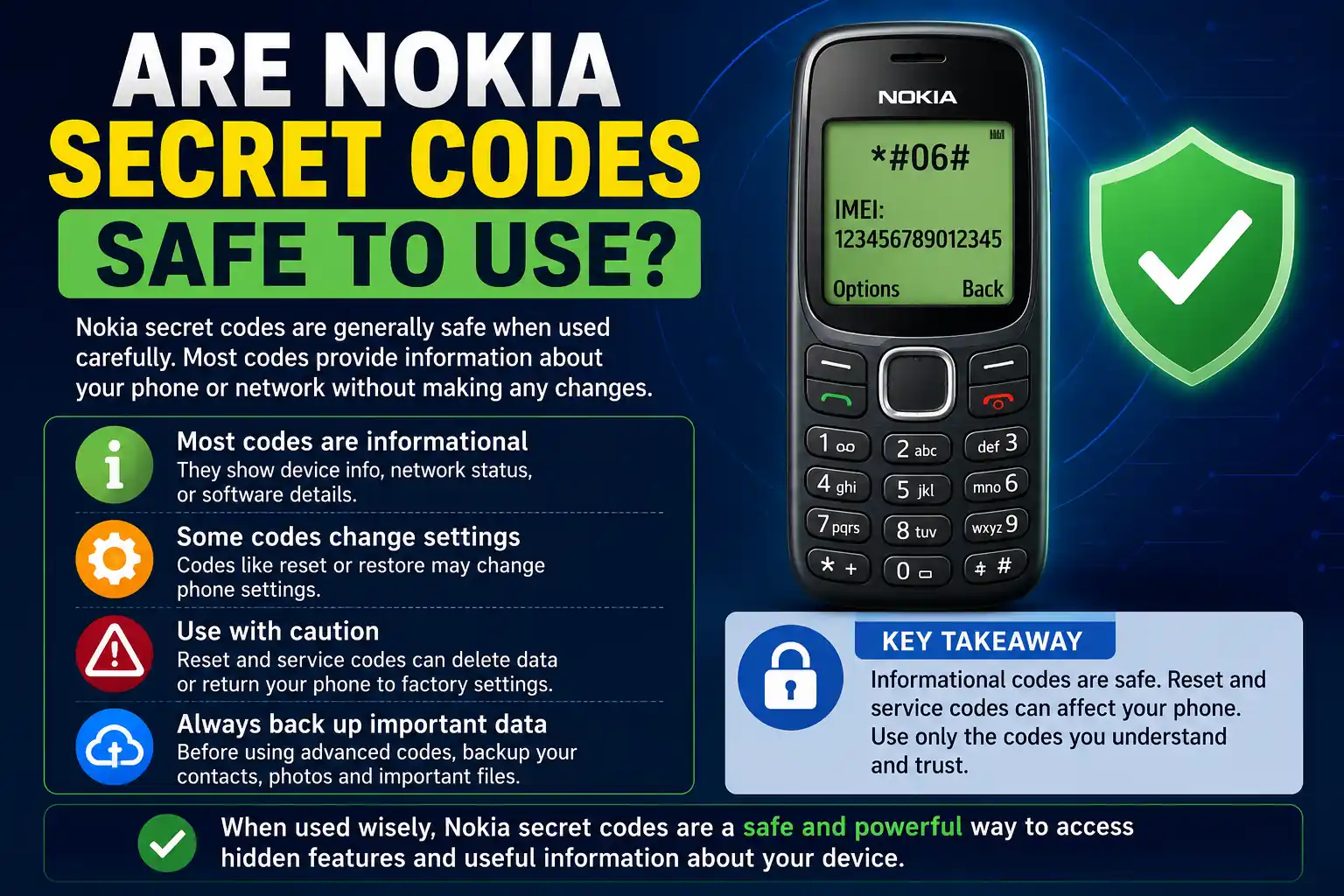
However, some commands can reset settings or remove data. Therefore, always learn the purpose of a code before you enter it. If you do not understand a command, research it first instead of testing unknown codes.
In addition, modern Nokia smartphones that run Android do not support many classic codes from older feature phones. As a result, each device model and software version may respond differently.
Secret Codes That No Longer Work On Many Nokia Phones
As Nokia shifted from feature phones to Android smartphones, the company gradually retired many older service commands. Consequently, modern devices often ignore several legacy codes.
For example, Nokia originally designed many service menu, manufacturing, and diagnostic commands for Symbian and Series 40 devices. Therefore, newer Nokia smartphones rarely support these functions.
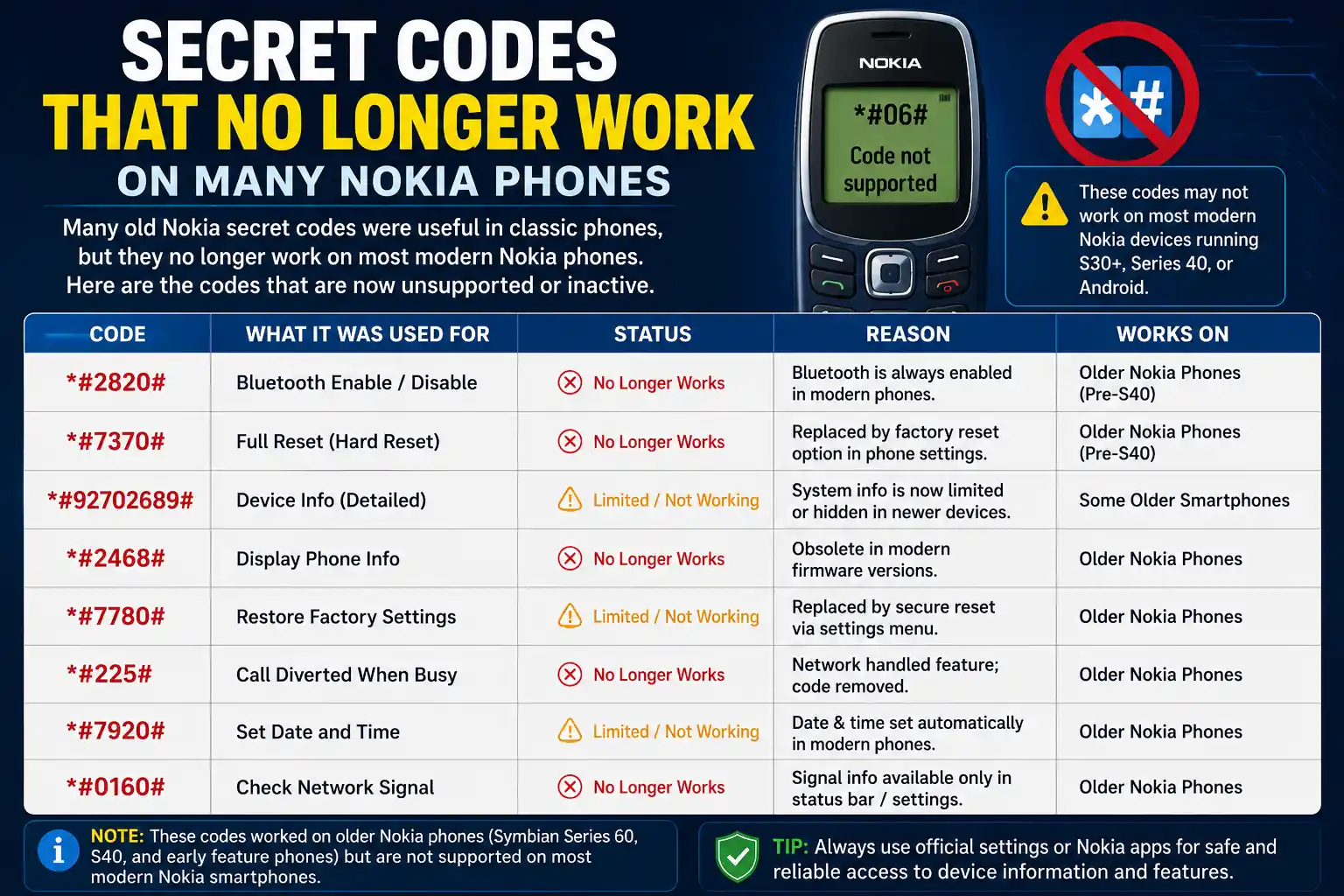
Some commonly affected codes include:
| Code | Status on Modern Devices |
|---|---|
| *#92702689# | Often unsupported |
| *#67705646# | Rarely works |
| *#73# | Mostly unavailable |
| *#3283# | Limited support |
| *#7760# | Usually unsupported |
| *#7328748263373738# | Legacy devices only |
Nevertheless, basic codes such as *#06# and network-related commands continue to work on many modern phones because mobile networks and Android systems still support them.
Nokia Secret Codes For Network Information
Many users do not realize that several Secret Codes provide useful network-related information. In particular, these commands help users verify call forwarding settings and manage call features.
*#21# – Check Call Forwarding Status
This code shows whether your phone forwards incoming calls to another number. As a result, users can quickly identify unexpected forwarding settings.
*#61# – Unanswered Call Forwarding
If you do not answer incoming calls, this code shows where the phone redirects them. Therefore, it helps users check voicemail and forwarding configurations.
*#62# – Forwarding When Unreachable
When you switch off your phone or lose network coverage, the network may redirect incoming calls elsewhere. This code shows those forwarding settings.
*#67# – Forwarding When Busy
If you are already talking on another call, this command shows where the network redirects incoming calls.
*#43# – Call Waiting Status
Call waiting lets users receive another incoming call during an active conversation. Consequently, this code shows whether you currently use this feature.
Nokia Secret Codes For Device Information
Apart from network settings, Nokia Codes also reveal important device details.
*#2820# – Bluetooth Address
Every Bluetooth-enabled device has a unique hardware address. This code shows that address on supported Nokia phones.
*#62209526# – WLAN MAC Address
On compatible devices, this command displays the Wi-Fi MAC address. Network administrators and technicians often use this information for troubleshooting.
*#9999# – Legacy Software Information
Some older Nokia models use this code to display software details. However, different devices support this feature differently.
*#746025625# – SIM Clock Status
This code checks whether your phone uses the SIM clock feature. Although most users rarely need it today, older Nokia devices relied on this function more often.
Common Mistakes When Using Nokia Secret Codes
Although Nokia Secret Codes are easy to use, many users make small mistakes that stop the codes from working correctly.
Entering Codes Incorrectly
Even a small typing mistake can prevent a code from working. Therefore, always double-check every digit before you enter the command.
Using Reset Codes Without Backup
Codes such as *#7780# and *#7370# can modify settings or erase data. Therefore, always create a backup before you use these commands.
Trusting Unverified Online Lists
Many websites publish outdated or inaccurate code collections. As a result, users should rely on trusted sources and official documentation whenever possible.
My Experience Testing Nokia Secret Codes
While researching Nokia Secret Codes, I tested several commonly known commands on different Nokia devices. Interestingly, different phone models and operating systems produced different results.
The code *#06# worked instantly and displayed the IMEI number without any issues. Likewise, network-related commands such as *#21# and *#43# provided useful information about call settings.
However, newer Android-based Nokia smartphones did not support some older service-menu codes. This result showed that Nokia created many legacy commands specifically for classic devices rather than modern smartphones.
Therefore, if your phone does not respond to a code, the device does not necessarily have a problem. Instead, your phone may simply lack support for that specific command.
Frequently Asked Questions
What are Nokia Secret Codes?
Nokia Secret Codes are special dialer commands that give users access to device information, network settings, diagnostic tools, and hidden functions.
Do Nokia Secret Codes work on Android Nokia phones?
Some codes work on Android-based Nokia smartphones, while Nokia no longer supports many older service codes.
Is *#06# safe to use?
Yes. This code only shows your phone’s IMEI number and does not change any settings.
Can Nokia Secret Codes damage my phone?
Most informational codes operate safely. However, reset-related codes can erase settings or data when users enter them incorrectly.
Why is a secret code not working on my Nokia phone?
Your device model, software version, or mobile carrier may not support that code.
Do all Nokia phones support the same codes?
No. Nokia uses different code sets across models, hardware versions, and operating systems.
Conclusion
Nokia Secret Codes continue to help users access useful device information, check network settings, and explore hidden phone features. Moreover, these codes offer a quick way to view software details, verify IMEI numbers, and troubleshoot common issues without installing additional applications.
However, you should always use these codes carefully. While informational codes help you view important details, reset-related commands can change settings or remove stored data. Therefore, take a backup before using advanced service codes.
Whether you use a classic Nokia feature phone or a modern Nokia smartphone, learning these secret codes can help you understand your device better. By using the right codes at the right time, you can save time, solve common problems, and make better use of your phone’s built-in features.
Related Resources
Moreover, readers who enjoy exploring technology beyond smartphones may also find several other guides on ReadsInfo helpful. For example, if you want to improve computer performance, you can read our article on Complete Guide to Speed Up Slow PC Without Software. Likewise, users facing display issues can explore Complete Guide to Fix Laptop Screen Rotation Problem for practical troubleshooting tips.
In addition, if you are interested in modern connectivity and mobile networks, our guide on Impact of 5G Technology on Internet Speed and Connectivity Explained provides valuable insights into next-generation internet technology. Furthermore, technology enthusiasts can expand their digital skills through How to Learn Python Fast: Beginner Guide and explore creative learning tools in Canva Education Free: Complete Guide for Students and Teachers.
Nokia Support Center: https://www.nokia.com/support/
Android Help Center: https://support.google.com/android
GSMA Mobile Resources: https://www.gsma.com
About the Author
Gul Fahad is the founder of ReadsInfo and a passionate technology blogger who writes about smartphones, Android tips, online earning, artificial intelligence, and digital trends. Moreover, he focuses on creating practical and easy-to-follow content that helps readers solve common technology-related problems. Through ReadsInfo, he shares detailed guides, helpful tutorials, and useful insights so that both beginners and experienced users can understand complex topics more easily.
In addition, Gul regularly researches mobile features, software tools, and online platforms to provide accurate and up-to-date information. Furthermore, he continuously explores new technologies and digital trends to keep readers informed. As a result, visitors can discover practical solutions, useful tips, and reliable resources in one place. Ultimately, his goal is to make technology simple, accessible, and beneficial for everyone.
Disclaimer
The information provided in this article is for educational and informational purposes only. Although Nokia Secret Codes can help users access device information and hidden features, different phone models, software versions, and mobile carriers may support different commands. Therefore, users may experience different results depending on their devices.
Moreover, while most informational codes only display information, some service and reset-related codes can change settings or remove data. For this reason, always back up important information before using advanced commands. In addition, users should verify any code before entering it on their devices. Consequently, the author and ReadsInfo cannot accept responsibility for data loss, device issues, or unexpected results that may arise from using the information shared in this guide.

Gul Fahad is the founder of Readsinfo and a content creator focused on Artificial Intelligence, Technology, Online Earning, and Education. He shares practical guides, digital learning resources, and real-world insights to help readers develop valuable skills and stay updated with modern trends.